Know where a VM fits
VM/host groups and rules, DRS from manual to fully automated, and overcommit ratios with headroom you set.
Placement & DRSVICTOR / HYPERVISOR PLATFORM ALPHACOMMUNITY + ENTERPRISE
Victor is a KVM-based hypervisor platform built for enterprise workloads. Run Linux and Windows virtual machines, protect your data and manage your infrastructure from one console.
Victor is in alpha and actively being built. We are looking for hardware partners and teams who want to test it. Screens are from a simulated Victor Enterprise estate.
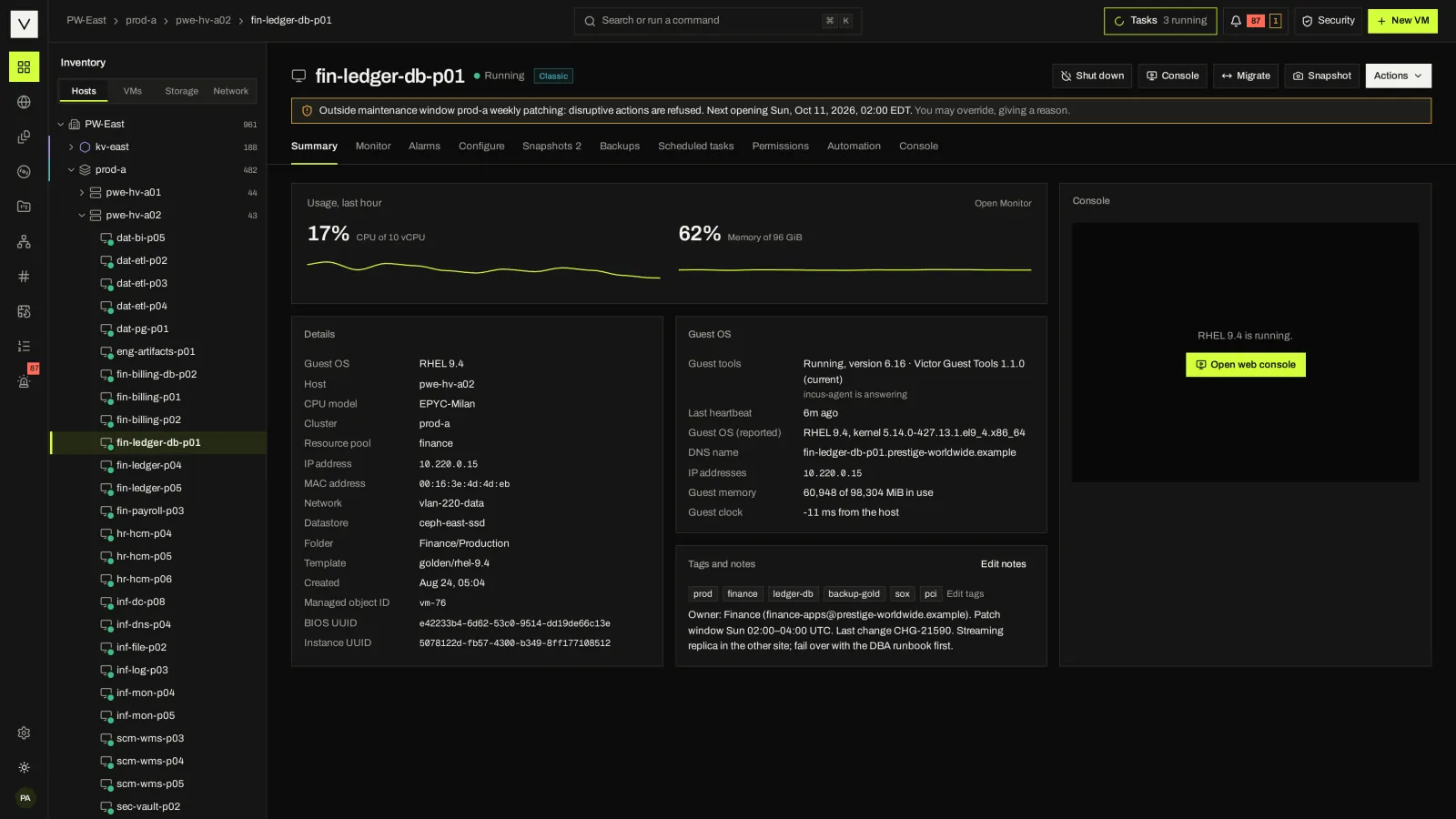
Provision Linux and Windows VMs. Set CPU, memory, storage and networking, then manage the complete VM lifecycle.
COMPUTE · STORAGE · NETWORKING02 / CONTROLInventory, placement, DRS, HA, capacity, tasks and permissions in one operator view.
PLACEMENT · HA · TASKS03 / ASSURANCEBackups, a hash-chained audit log and signed evidence help teams prepare for failure and inspect the result.
RECOVERY · EVIDENCE04 / SELF-SERVICEPublish images, sizes and networks. Teams provision through Victor Cloud’s portal, API and automation.
PROJECTS · OFFERINGS · APIA DAY IN THE CONSOLE
Select a stage. Each one shows the real screen and the specifics behind it. Edition differences are called out where they first matter.
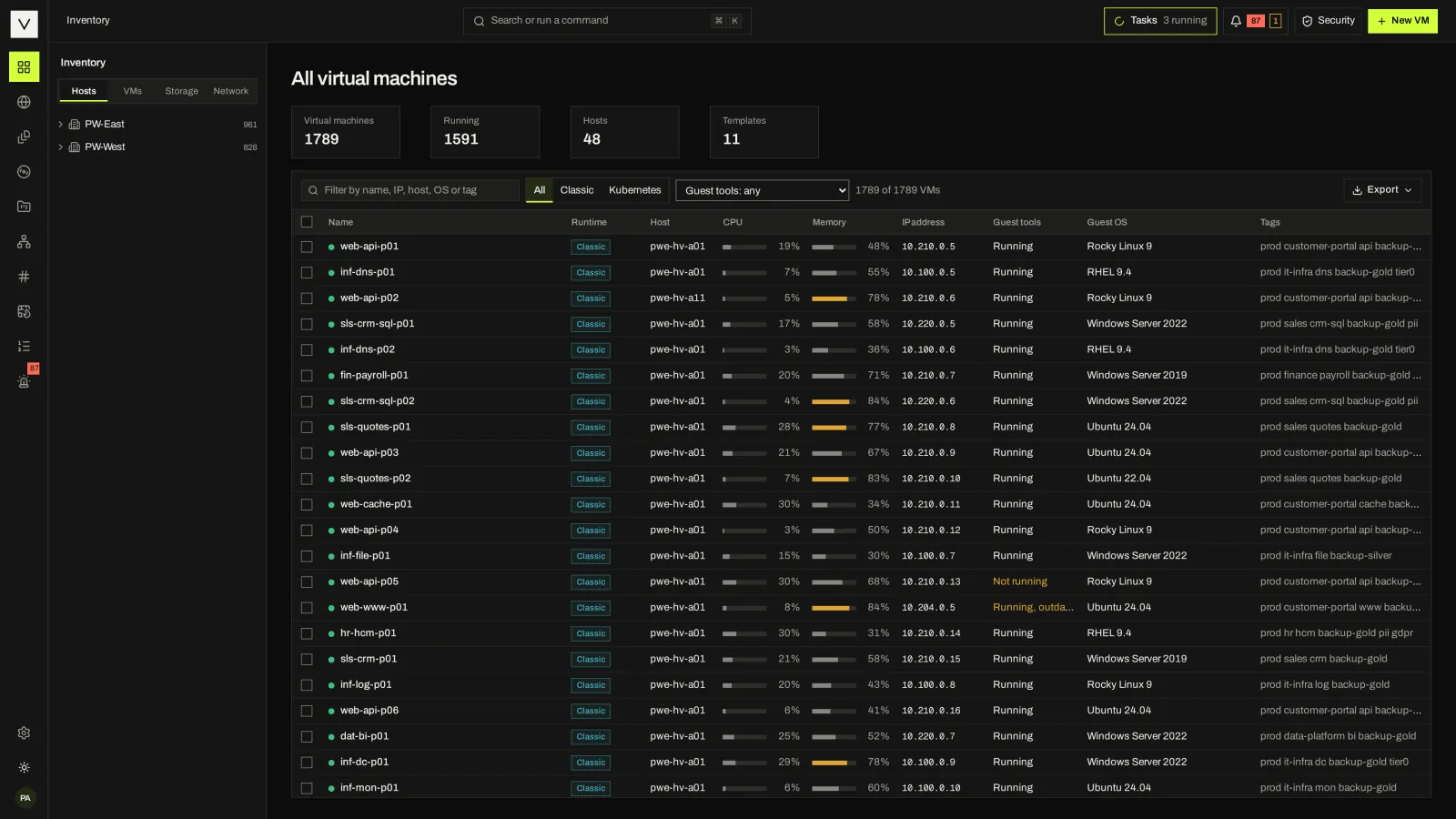
Start from one tree of datacenters, KVM clusters, KubeVirt pools, hosts, datastores and networks. Search or run a command from anywhere with the palette.
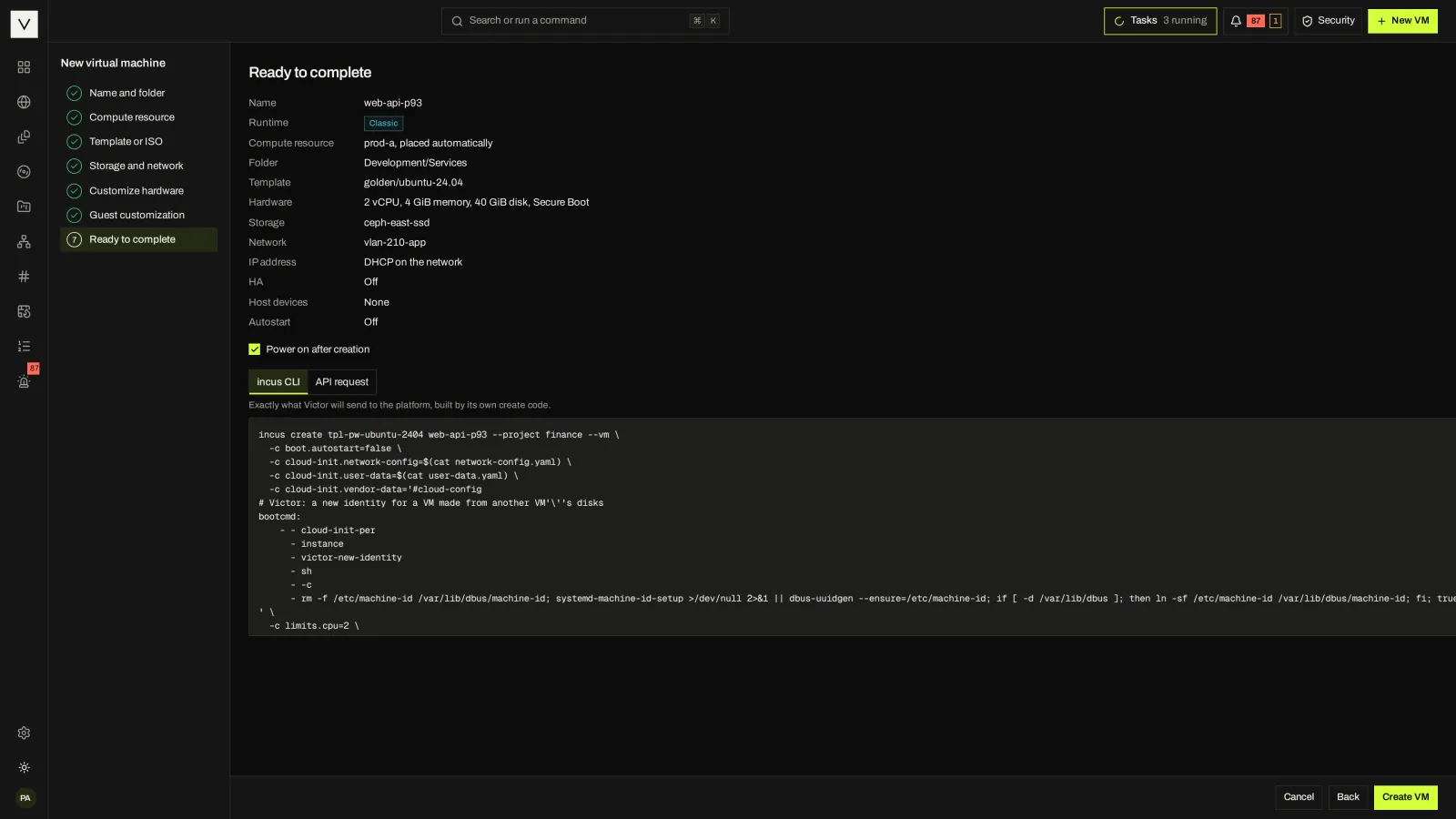
The new-VM wizard places the workload, applies a template or ISO, sets hardware and cloud-init, and shows the exact call it will send before it runs.
Power, console, snapshots, live migration, hardware changes and scheduled tasks live on the VM, with recent tasks a click away (docked below in the Classic view).
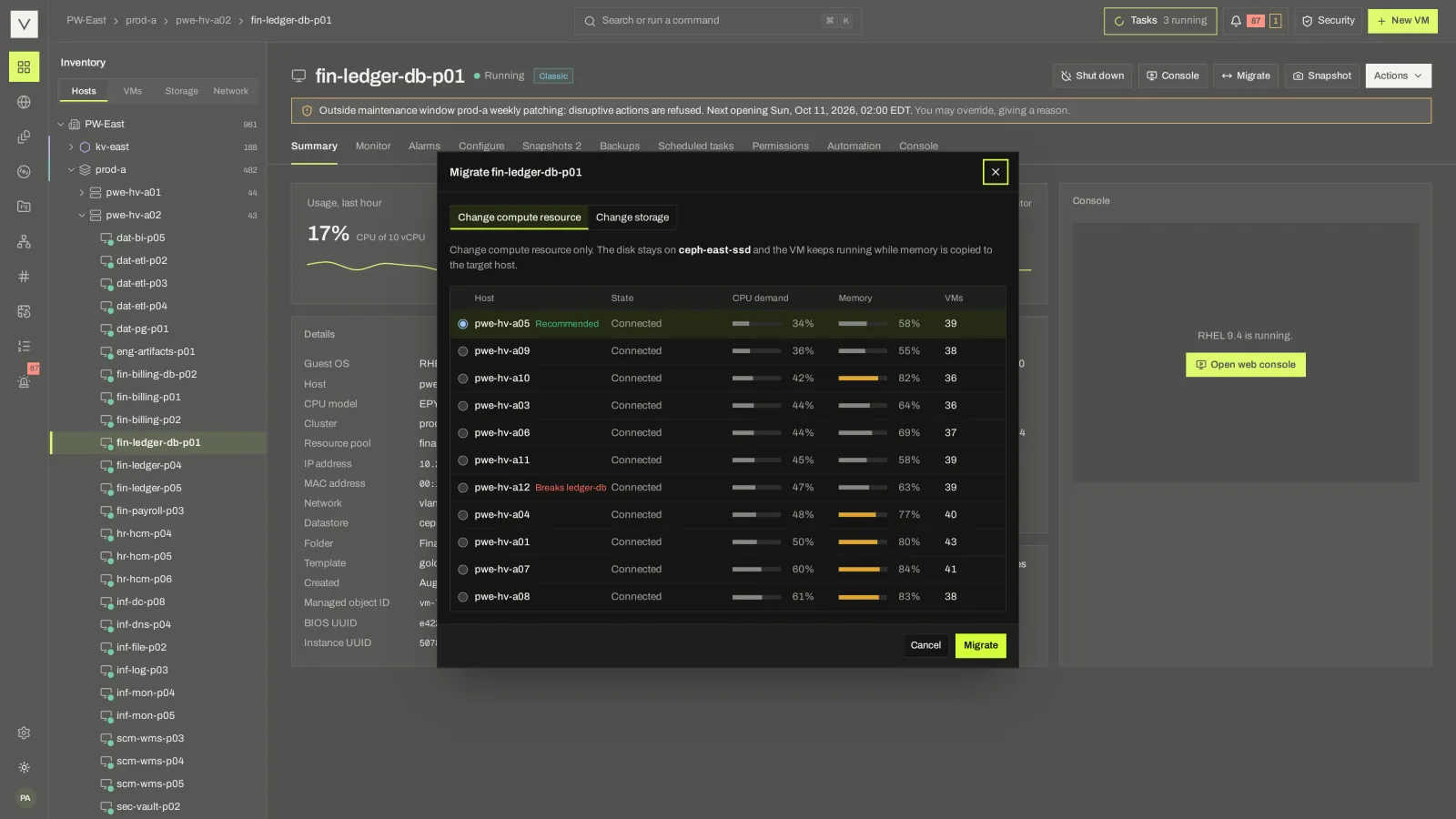
Placement rules, DRS and capacity settings decide where a VM fits. A migration dialog shows each destination’s demand and any rule it would break.
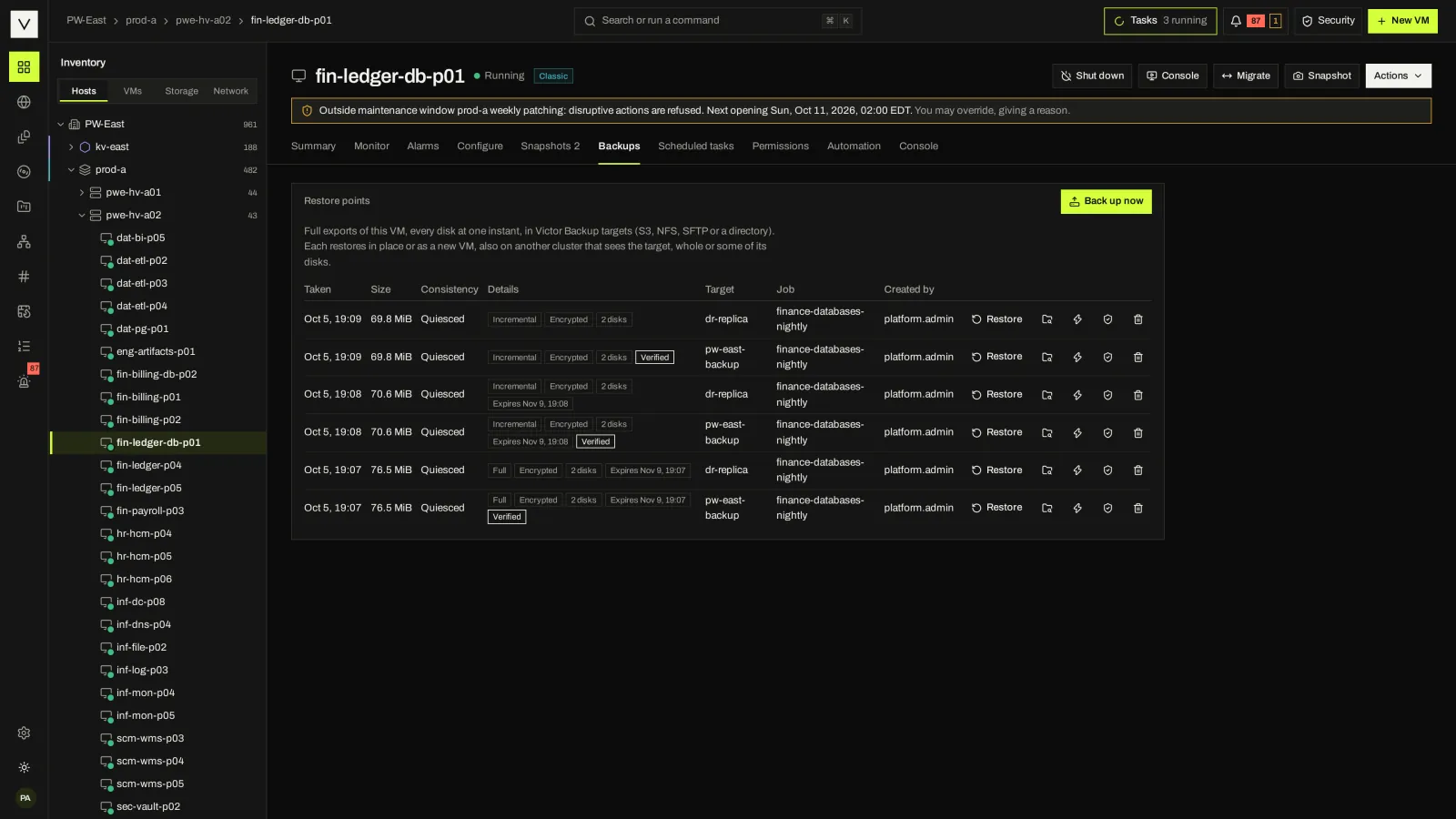
On KVM clusters, HA fences a failed host before restarting its VMs elsewhere. Scheduled backups put restore points on the VM itself.
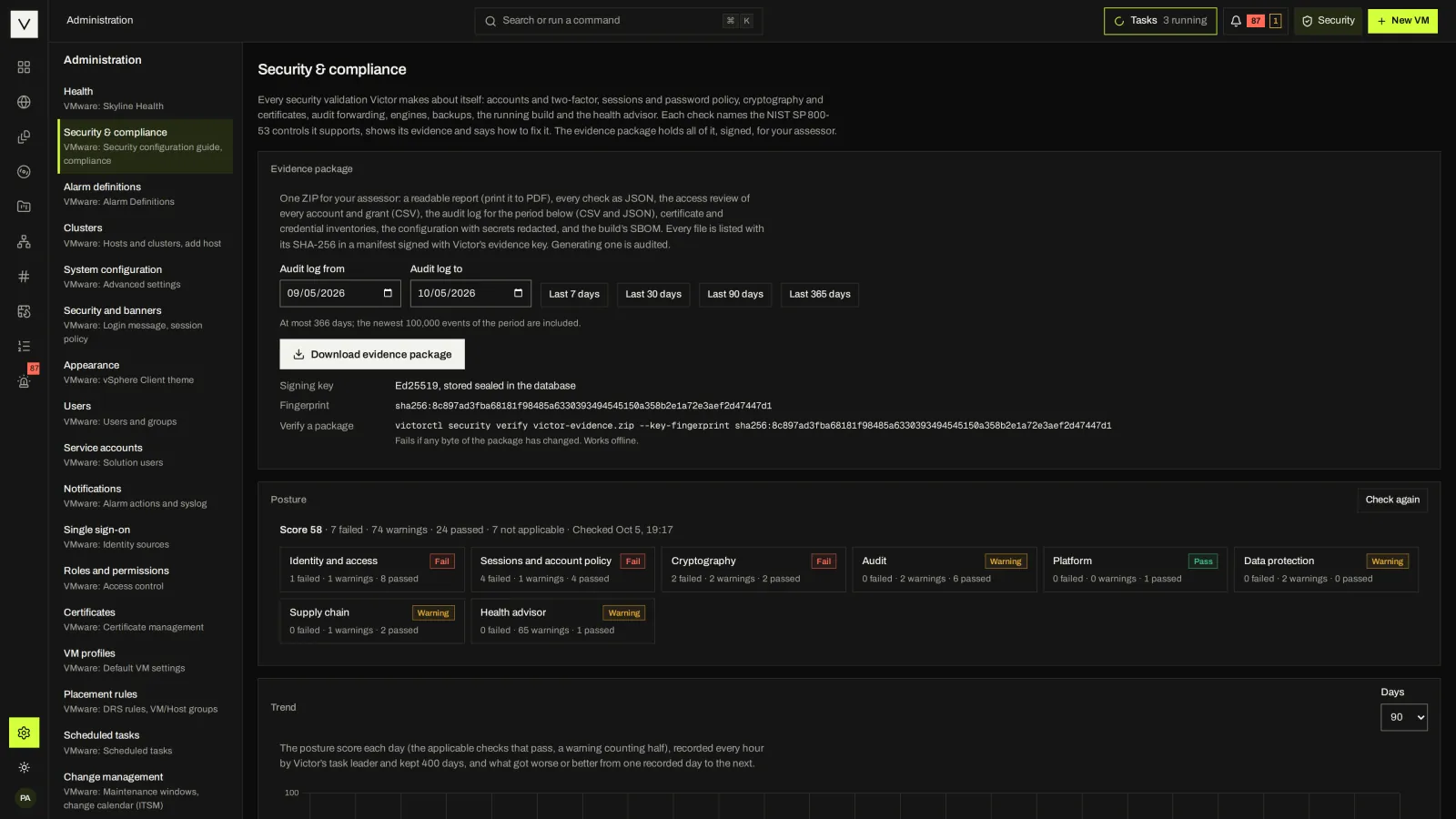
Every VM operation is a task and every change is an audit event. The Security & Compliance Center scores posture and exports a signed evidence package.
FAMILIAR ON DAY ONE
Victor ships two console presentations of the same product. Classic follows the vSphere Client layout. Victor is roomier and brand-forward. Each person can choose, in light or dark.
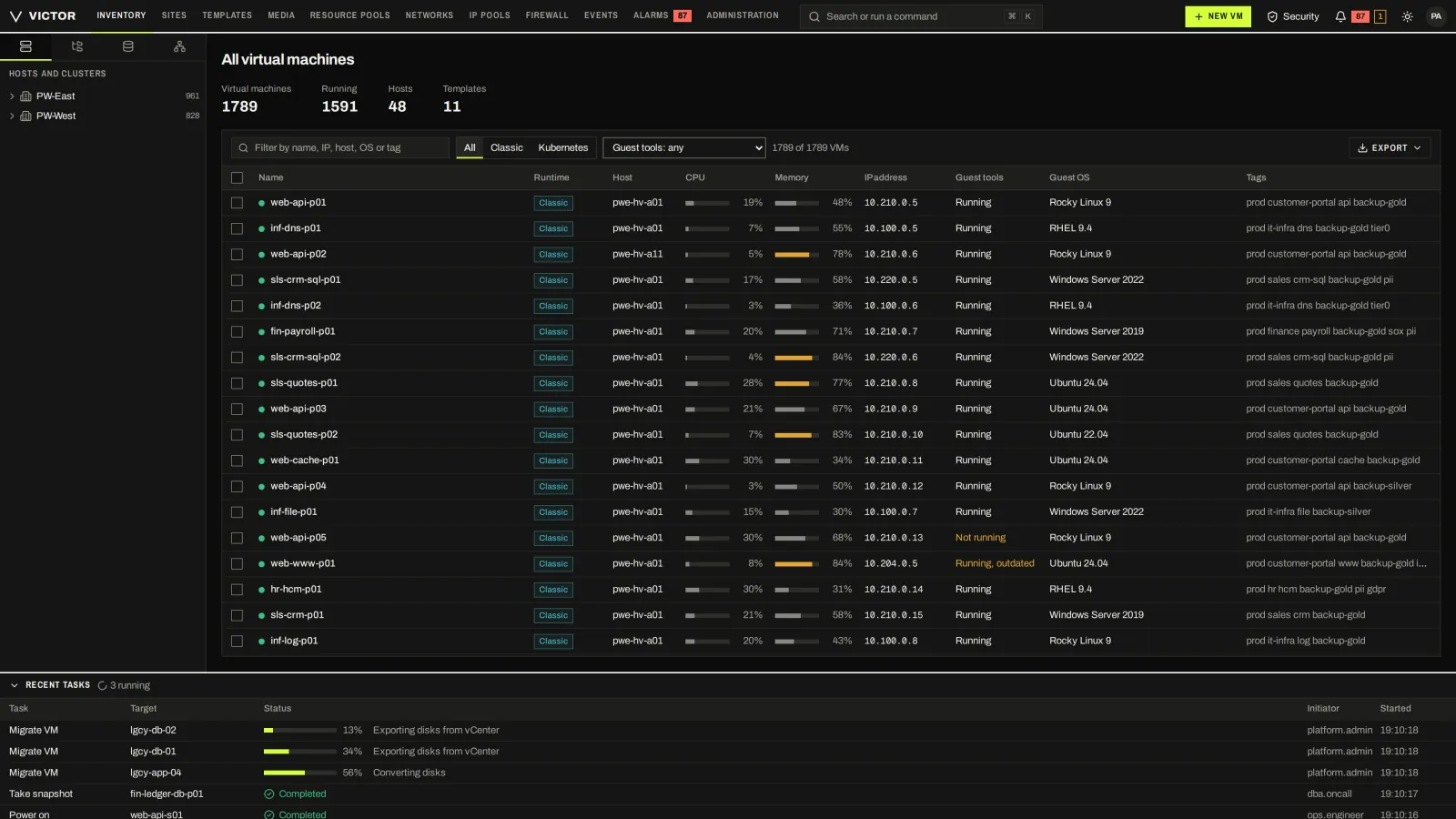
Both views and both themes are in Community. Administrators set the default view; each person can pick their own view from the account menu and their theme from the top menu.
DAY TO DAY
Decisions and their results stay in the same place, from placement and capacity to a failed task and the reason it stopped.
VM/host groups and rules, DRS from manual to fully automated, and overcommit ratios with headroom you set.
Placement & DRSOn KVM clusters, HA fences a failed host (BMC power-off, a storage-write fence or a watchdog reset) before restarting its VMs elsewhere, in priority order.
HA and fencingMaintenance windows and change freezes refuse disruptive actions outside policy. Users with the override privilege can override, giving a reason that is audited.
Change managementScheduled full backups with retention, restored in place or as a new VM on any cluster. Enterprise adds incremental, encrypted and immutable points, and instant recovery on KVM clusters.
Backup & recoveryTasks, events, alarms and performance history kept for 13 months (charts cover up to 7 days today), with a health advisor and syslog, webhook, email or Loki forwarding.
See the monitoring screensAn OpenAPI-described API, victorctl, a Terraform provider, an Ansible collection and an opt-in MCP server, all under the same permissions.
API & automationA PATH FROM VMWARE
Assess an RVTools export offline or scan vCenter, map networks and storage in a plan, and cold-migrate with BIOS UUID, instance UUID and MAC addresses kept. Community moves one Linux VM per call; Enterprise adds waves, virt-v2v conversion, test boots, cutover and rollback. Windows conversion and real-vCenter exports still need validation.
The vSphere API bridge lets govc, PowerCLI and Terraform scripts keep reading and powering VMs during the transition. Write operations are Enterprise.
See the migration path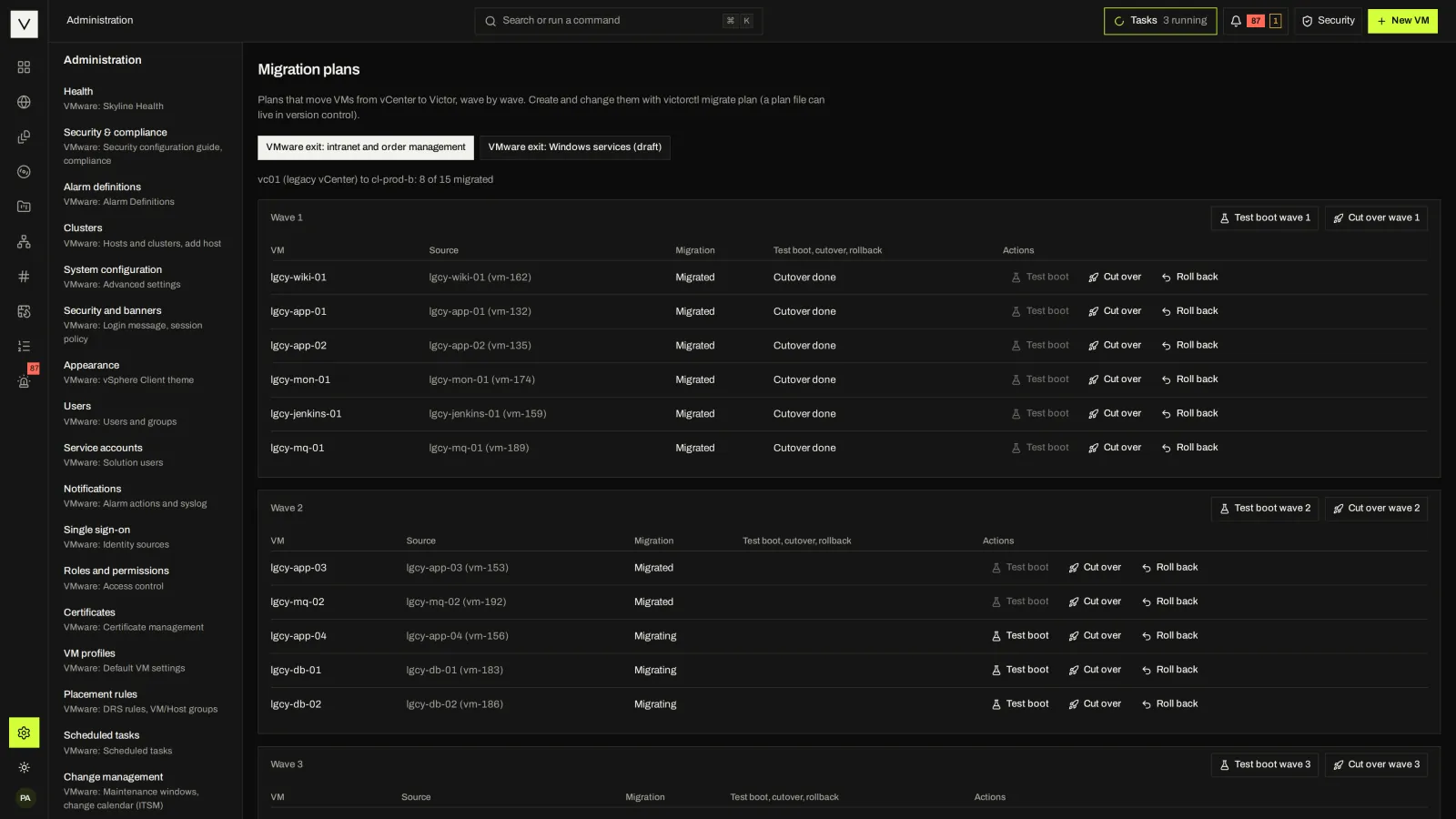
ON YOUR SHORTLIST
Different platforms solve different problems. Start with your operating model, then compare the work your team needs to do.
Compare Victor and VMware vSphere for enterprise VM operations, availability, protection, automation and migration. Start with the workloads and operational requirements of your estate.
Compare approachesCompare two KVM-based virtualization platforms: VM operations, availability, storage, backup, automation and self-service cloud.
Compare approachesCompare Victor Cloud’s self-service cloud software with provider-operated public clouds. Review servers, storage, networking, automation and who operates the underlying infrastructure.
Compare approachesOPEN CORE
Community includes the engines, VM lifecycle, HA, DRS, backup, basic migration, the Security & Compliance Center, air-gap delivery and the API. Enterprise adds what multi-site operations, large VMware exits and regulated environments need.
STRAIGHT ANSWERS
Victor is a KVM-based virtualization platform. KVM is a Type 1, bare-metal hypervisor integrated into the Linux kernel. Victor brings together host and VM management, storage, networking, availability, backup and automation. Install Victor Host on your servers, or choose a supported deployment for existing infrastructure. Kubernetes VM management is available as an optional capability. #
Yes. Victor Community is Apache-2.0 and complete for one site, with no host or cluster caps. Install the Host ISO, the appliance or the Helm chart. Enterprise workflows are shown in a guided demo. #
Supported calls will. The vSphere bridge answers selected SOAP and REST calls from govc, PowerCLI, pyVmomi, Ansible and Terraform. Community covers reads and power operations; Enterprise adds documented writes such as clone, reconfigure and snapshot. It is a migration aid, not full vSphere API compatibility. #
Not yet. The current path is cold migration. Warm pre-copy with changed-block tracking, OVA/OVF import and adopt-in-place are planned. Migration has been tested against a vCenter simulator, so validate against your own vCenter before planning a production window. #
Victor is in alpha and actively being built. It is not yet recommended for production. Performance figures in the docs come from simulated and nested labs, not production hardware. The status page lists what ships, what is conditional and what is planned, and the early access page explains how to test it with us. #
NEXT STEP
Tell us what you run today. We will show you the workflows that matter to your team.