Victor vs VMware vSphere
Compare Victor and VMware vSphere for enterprise VM operations, availability, protection, automation and migration. Start with the workloads and operational requirements of your estate.
Read the comparisonVICTOR RESOURCES / COMPARE
Every platform here runs virtual machines well. They differ in what they are built around, what they cost to adopt and what they ask of your team. This is where Victor fits, and where it does not yet.
Victor products: Alpha · Focused comparisons reviewed 19 October 2026START WITH YOUR DECISION
Choose a focused guide for the shortlist you are building. Each includes tradeoffs, current limits, evaluation tasks and primary sources.
Compare Victor and VMware vSphere for enterprise VM operations, availability, protection, automation and migration. Start with the workloads and operational requirements of your estate.
Read the comparisonCompare two KVM-based virtualization platforms: VM operations, availability, storage, backup, automation and self-service cloud.
Read the comparisonCompare Victor Cloud’s self-service cloud software with provider-operated public clouds. Review servers, storage, networking, automation and who operates the underlying infrastructure.
Read the comparison01 / SIDE BY SIDE
vSphere and Proxmox are shown first; add other platforms if they are on your shortlist. Cells describe the approach, not a score. Product versions and editions change these answers, so check the vendor’s current documentation for anything that decides a purchase.
| Area | Victor | VMware vSphere | Proxmox VE | Nutanix AHV | Harvester | OpenStack |
|---|---|---|---|---|---|---|
| Hypervisor and runtime | KVM-based Type 1 virtualization, with optional Kubernetes VM management | ESXi | KVM/QEMU VMs and LXC containers | AHV (KVM-based) | KubeVirt on Kubernetes (RKE2) | Nova, usually with KVM/libvirt |
| VMs managed through Kubernetes | Yes, KubeVirt pools beside classic clusters | Through vSphere Supervisor in VMware Cloud Foundation | No | Kubernetes platform is a separate product (NKP) | Yes; every VM is a KubeVirt VM | No; Kubernetes services are separate |
| Management console | One console with a vSphere Client–style Classic view and a Victor view | vSphere Client on vCenter | Web UI on every node | Prism Element and Prism Central | Harvester UI; Rancher for fleets | Horizon dashboard and APIs |
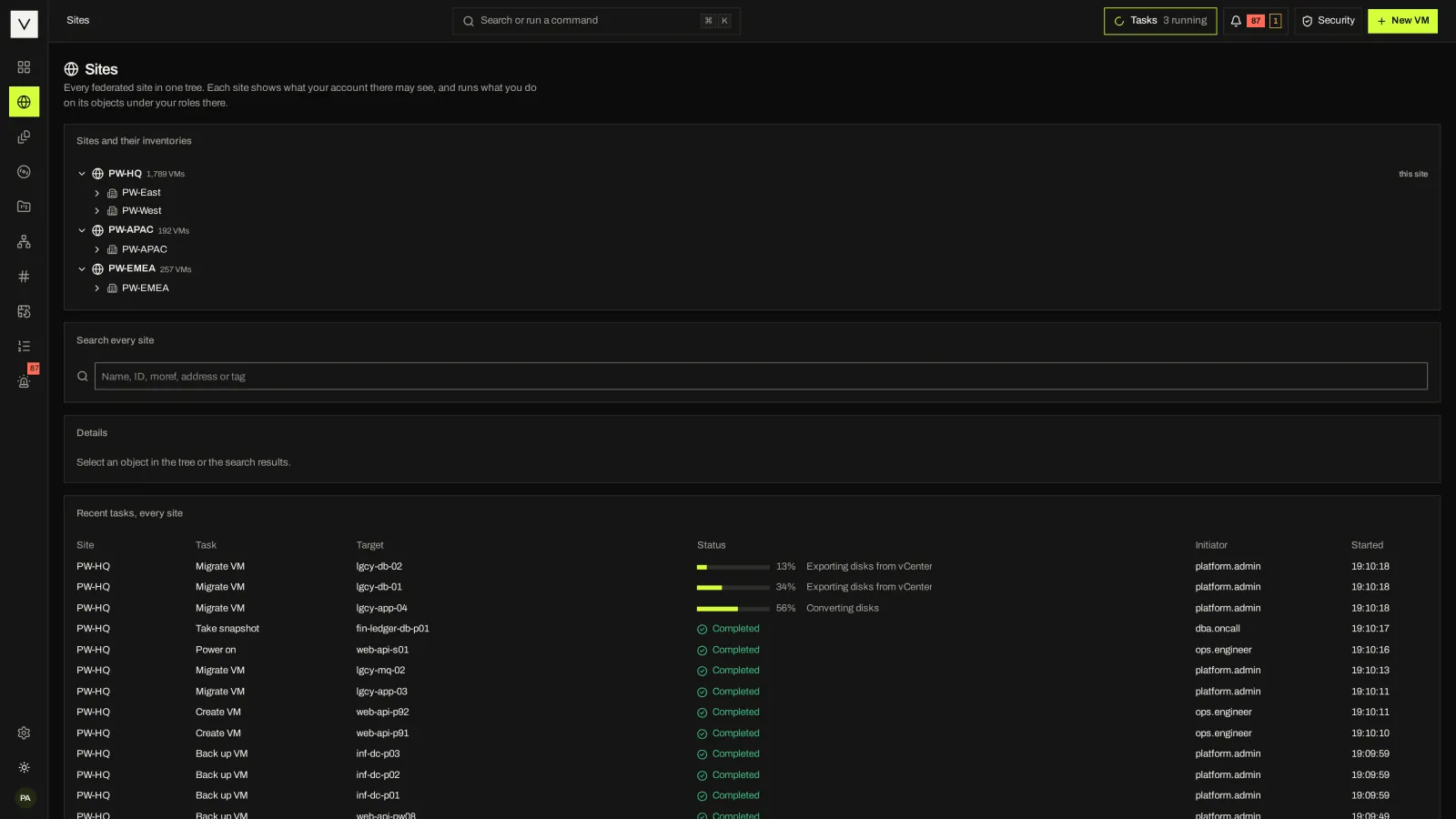
| Multi-site management | Enterprise federation, no central server; no one-step cross-site move yet | vCenter Enhanced Linked Mode | Proxmox Datacenter Manager, including cross-cluster live migration | Prism Central | Rancher | Regions and cells |
| Software-defined storage | Ceph on Victor Hosts, NFS, local and shared LVM; no vSAN equivalent | vSAN | Integrated Ceph, ZFS and others | Built-in distributed storage | Longhorn, plus CSI storage | Cinder with Ceph and many back ends |
| VMware migration tooling | Assessment, plans and cold migration with identity kept; Enterprise waves, virt-v2v, test boot, rollback | Not applicable (the source) | Built-in ESXi import wizard (VMs powered off) | Nutanix Move, with data seeding before cutover | VM import add-on for VMware, OpenStack and OVA | No core importer; third-party tools |
| vSphere API compatibility | vSphere bridge for govc, PowerCLI, pyVmomi, Ansible and Terraform; reads and power in Community, writes in Enterprise | Native | No | No | No | No |
| Built-in backup | Scheduled full backups in Community; advanced paths depend on Enterprise and backend prerequisites | VM backup commonly uses partner integrations | Built-in scheduled backup; Proxmox Backup Server integration for incremental backups | Snapshots and protection policies; partner products | VM backups to configured targets | Through projects and partners |
| Compliance evidence | Security & Compliance Center mapped to NIST SP 800-53 with a signed evidence package; Enterprise OSCAL and STIG exports | Security configuration guides; DISA STIGs published | Community hardening guidance | Security Configuration Management Automation; DISA STIGs published | SUSE hardening guidance | Security guide; varies by distribution |
| License | Community Apache-2.0; Enterprise proprietary; physical-host/site activation is opt-in Alpha | Proprietary subscription; confirm current bundle and terms | AGPLv3; optional support subscriptions | Proprietary subscription | Apache-2.0; optional SUSE support | Apache-2.0; distributions and support from vendors |
| Maturity | Alpha. Installed single-host testing plus simulated and nested labs; physical multi-host acceptance remains open | Long-established, broad ecosystem | Long-established, large community | Long-established | Established, newer than the others | Long-established at large scale |
Trademarks belong to their owners. Descriptions summarize public documentation as of October 2026 and are not endorsed by these vendors. Tell us if something here is out of date and we will correct it.
02 / WHERE EACH FITS
An honest shortlist names what each option does better. Here is ours.
Run enterprise VM workflows with integrated placement, protection, access control and automation. Victor adds multi-site operations and self-service cloud options, with an operating experience familiar to vCenter teams.
You depend on NSX, vSAN, partner integrations or certified configurations that have no equivalent yet, and the subscription fits your budget.
Small and mid-size estates value its long track record, integrated Ceph and backup server, and cross-cluster live migration through Datacenter Manager.
A single-vendor appliance experience matters more than open source, and Move’s data seeding before cutover suits your migration windows.
Every VM should be a Kubernetes object, Rancher already manages your fleet, and you want built-in Longhorn storage.
Self-service tenants, projects and quotas at large scale matter more than a vCenter-like operator console, and you have the team to run it. For self-service over Victor, see Victor Cloud.
03 / COMMUNITY VS ENTERPRISE
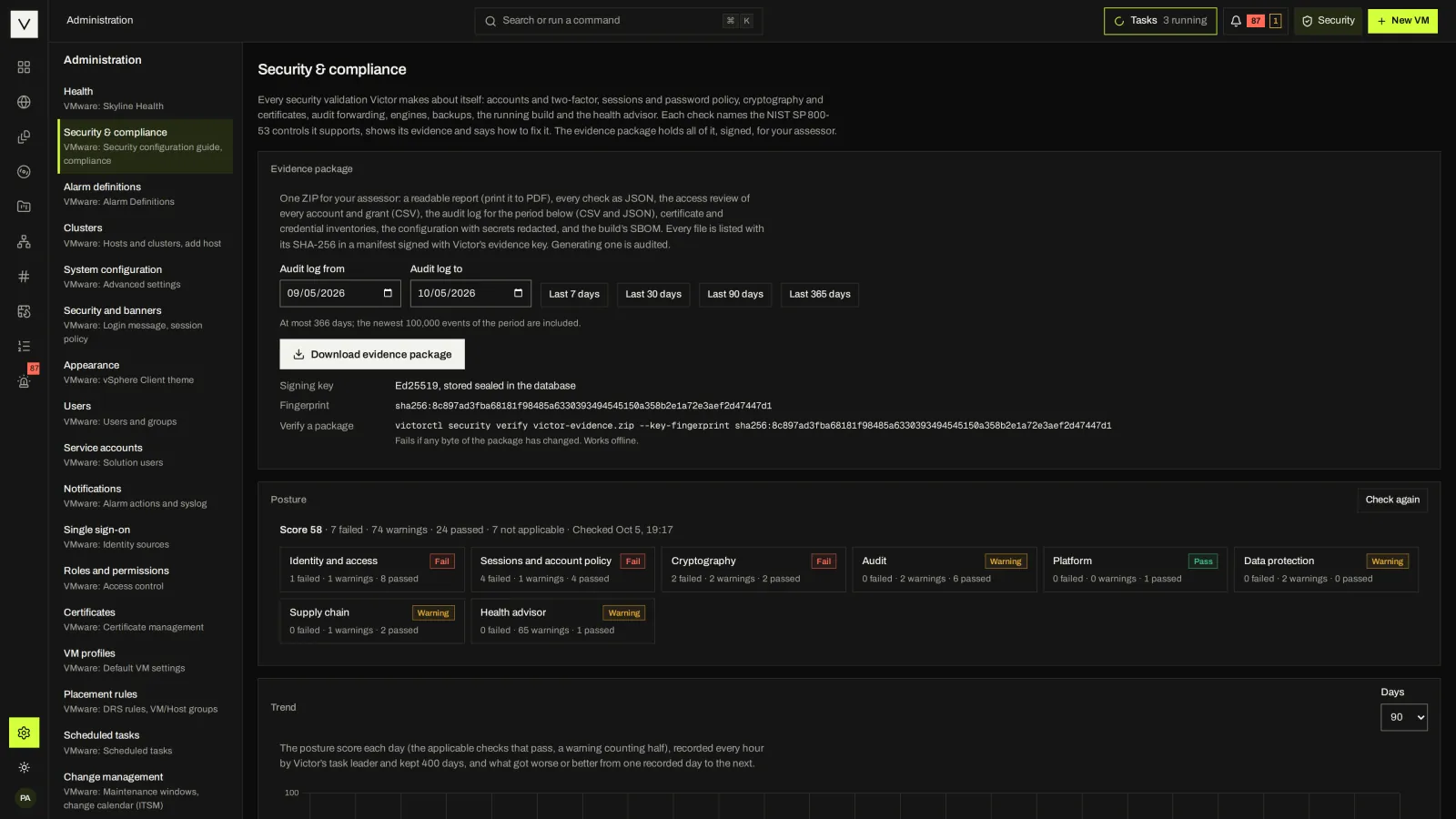
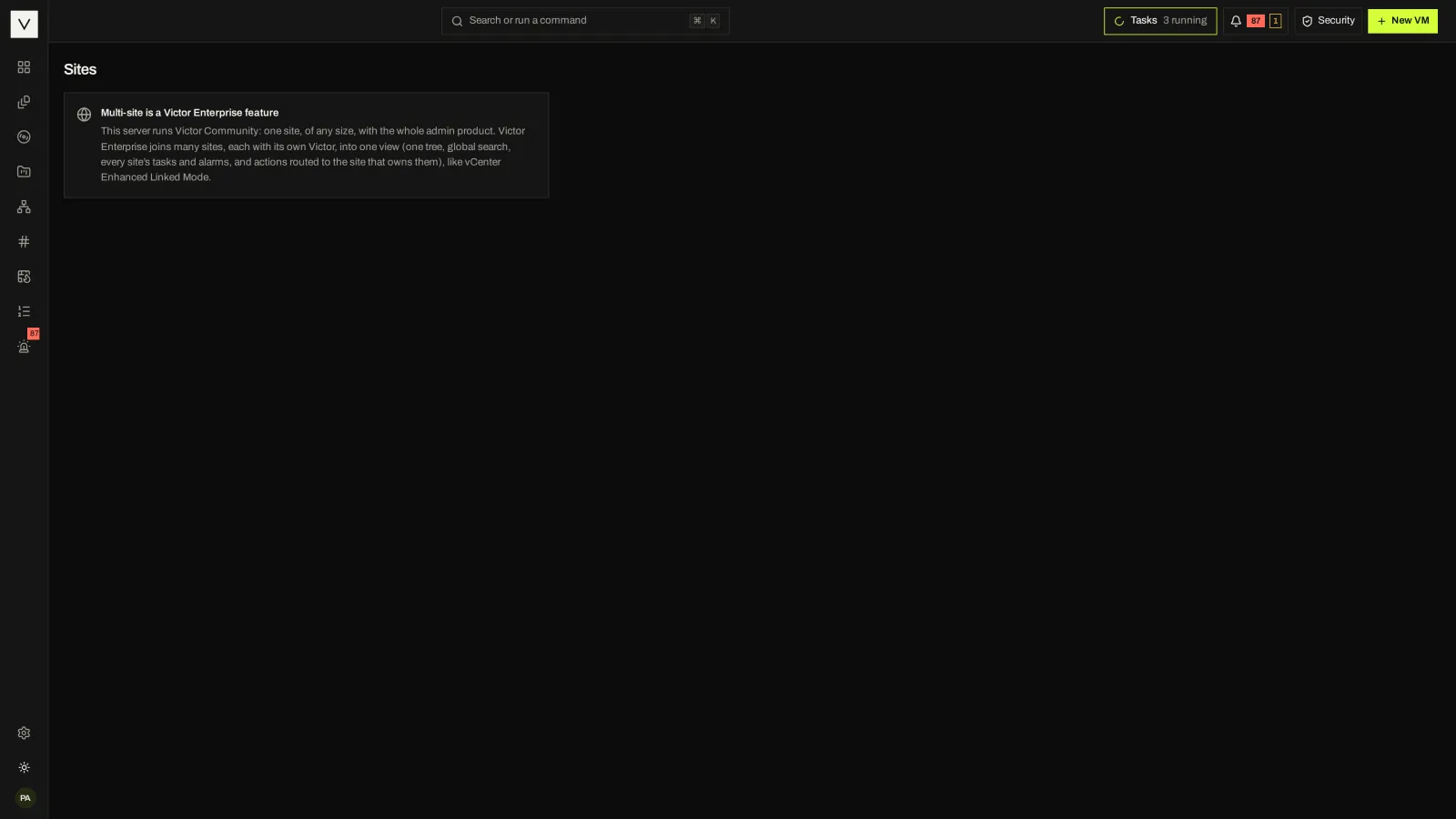
Community is not a trial. It runs one site of any size with HA, DRS, backup, migration basics and the Security & Compliance Center. Enterprise-only areas say so in the product.
Every row of the edition matrix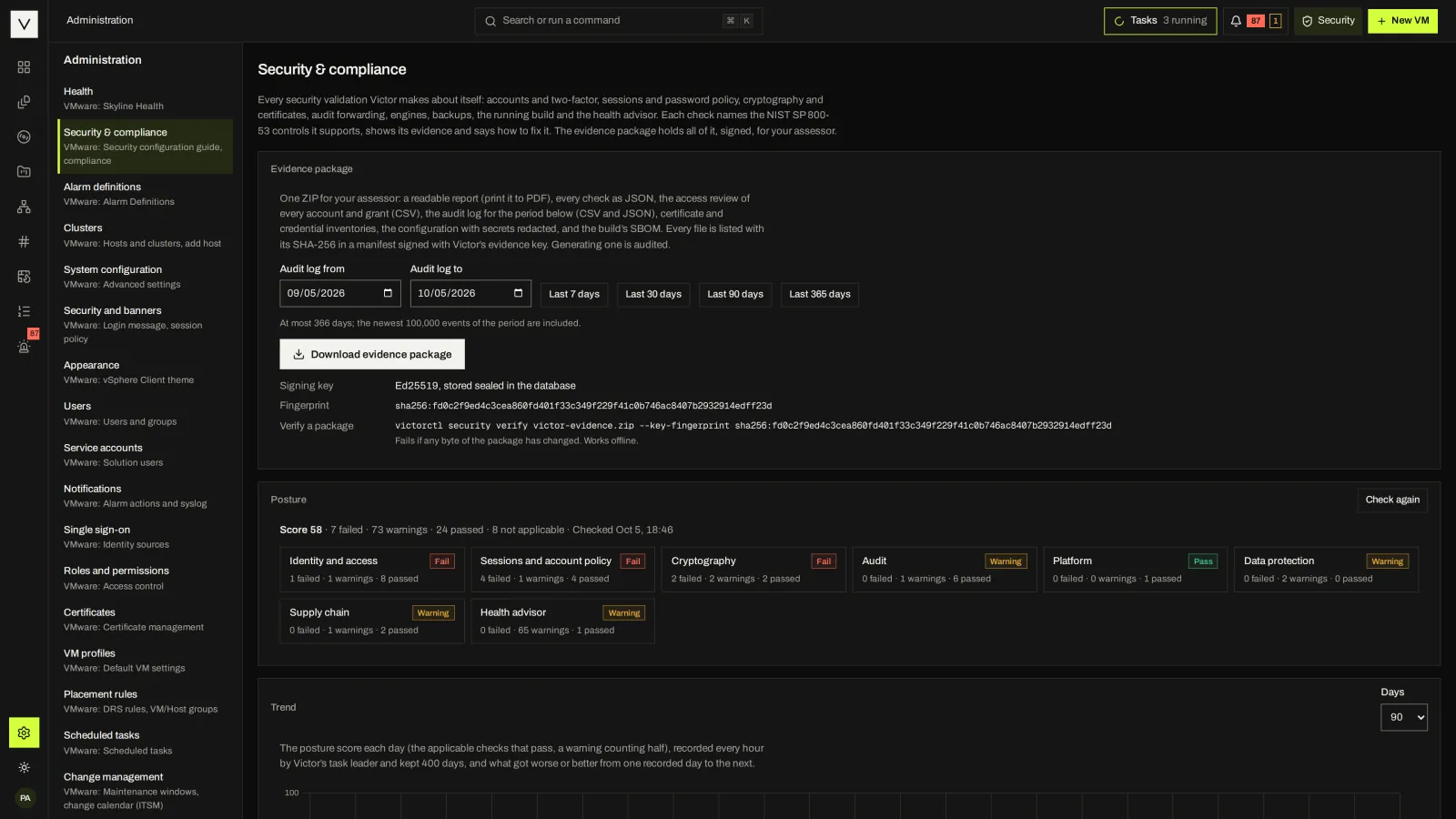
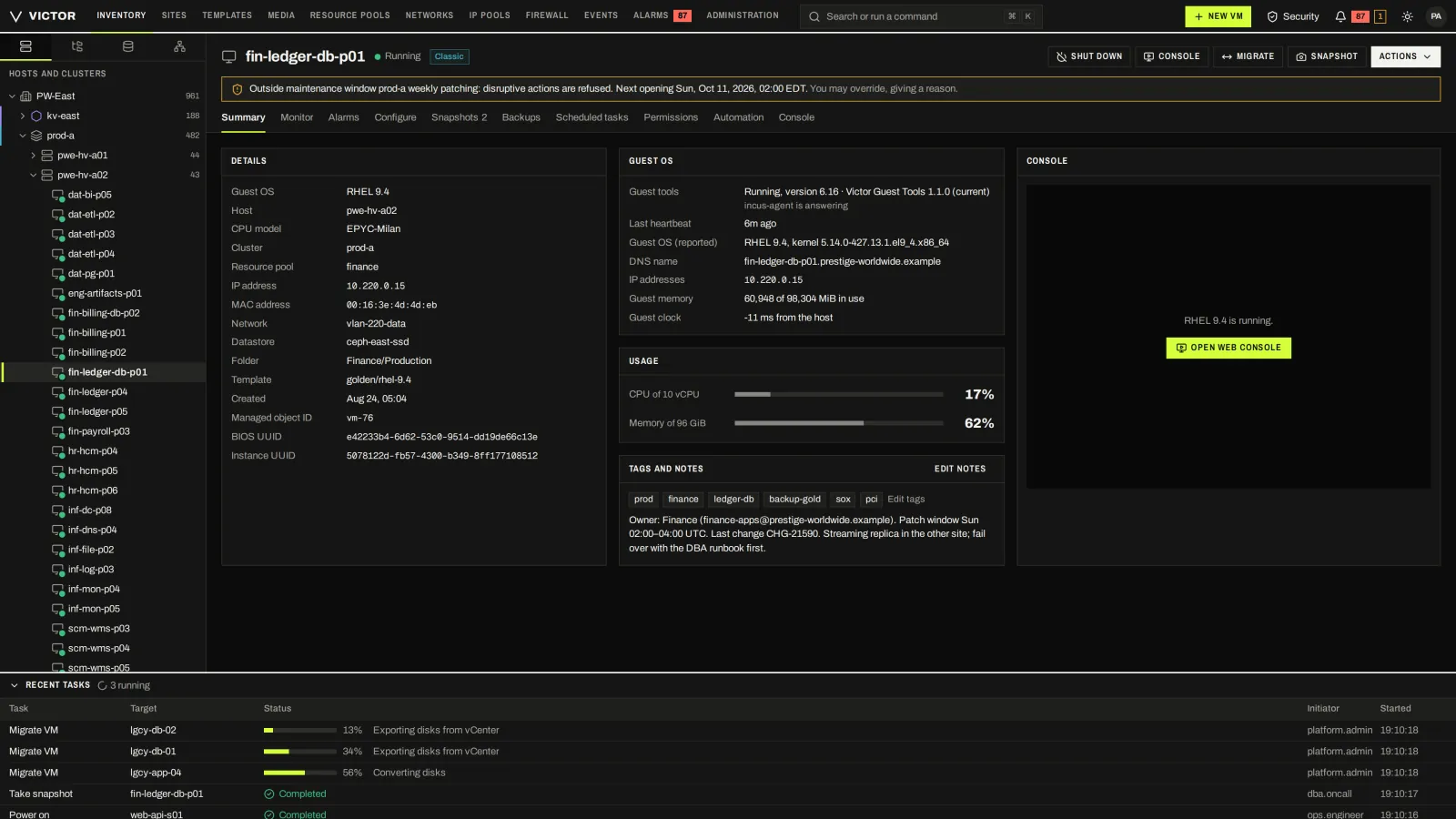
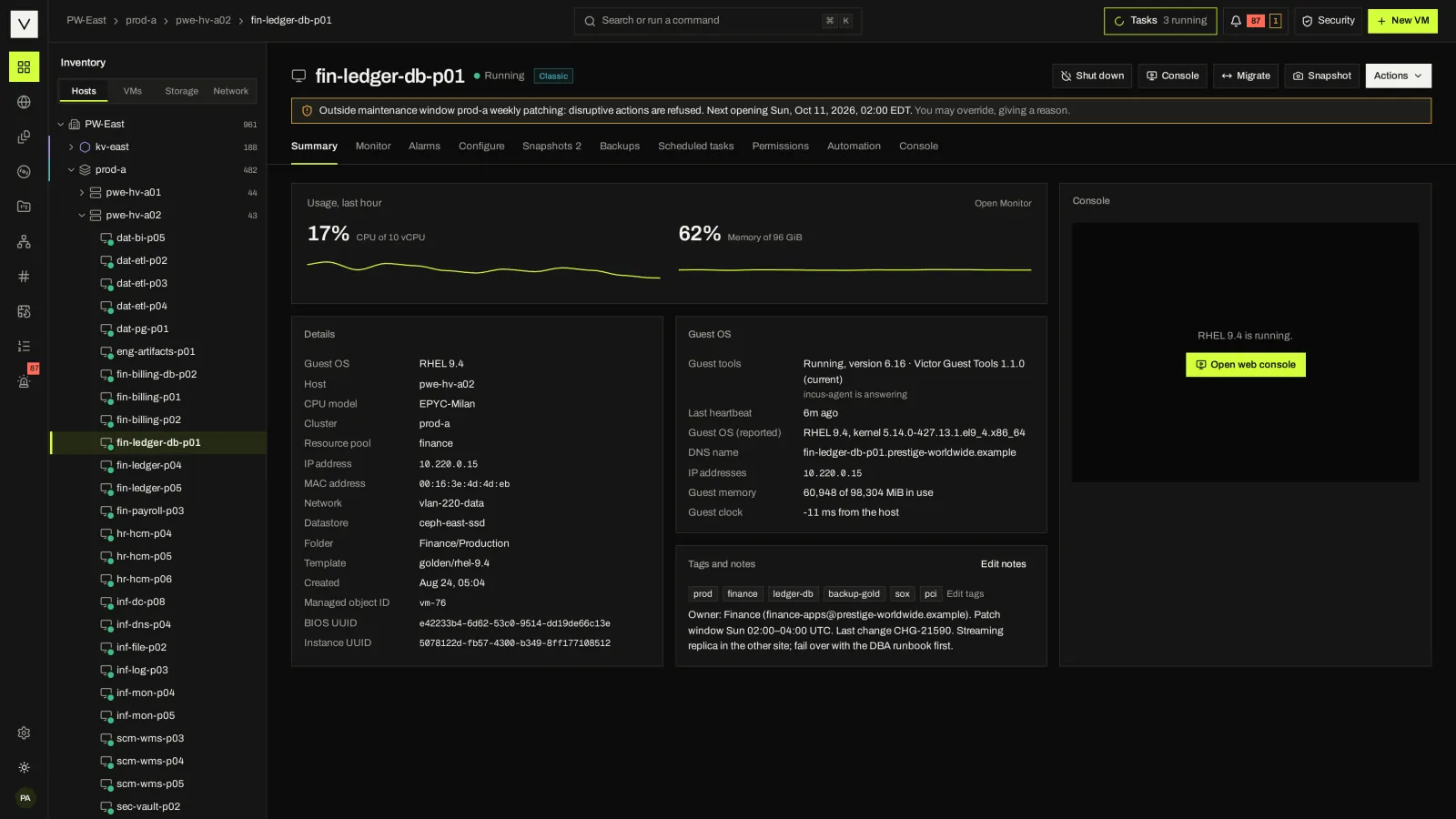
04 / CLASSIC VS VICTOR VIEW
Moving off vCenter is as much a people change as a platform change. The Classic view keeps the layout your operators already know, and shared tasks and permissions stay consistent across both views. The Victor view is there when your team is ready.
Switch views in the product tour05 / EVALUATION CHECKLIST
Take a representative VM, a failed host and a restore point through the same tasks in each system. Note where policy is visible, where an action refuses, and what the audit record contains.
Do classic and Kubernetes VMs share one console, task log and permission model? What happens to a VM’s identity when it moves?
How is the host fenced before restart? Which VMs come back first? What does the operator see, and what is recorded?
Check artifact verification, offline install and upgrade, license activation and support tooling.
Test your guest types, network configurations and datastores. Which identifiers survive? What is the rollback?
List the govc, PowerCLI and Terraform calls you depend on and check each against the target’s supported operations.
Ask what happens to running VMs, automation and data export when a subscription lapses.
FAQ
Victor’s published performance figures come from simulated and nested labs, so a head-to-head benchmark would mislead. We would rather show the product and help you test it on your hardware. #
Community costs nothing to license and has no host caps. Enterprise’s new activation model counts physical hosts and uses site unlocks; legacy Alpha installations retain their original license format until explicitly upgraded. Ask for terms for your estate. Include migration effort, training and support in any comparison. #
No. Victor manages its supported KVM clusters and optional Kubernetes VM environments. Proxmox and Nutanix clusters are not supported management targets. Today Victor’s migration tooling reads from VMware; check the architecture and installation guides for runtime prerequisites. #
NEXT STEP
We will use the real console and your requirements to show where Victor fits, and where it does not.