A trend, not a snapshot
A 0–100 posture score, evaluated every hour and kept as one score a day for 400 days, with what got better or worse each day.
VICTOR PRODUCT / SECURITY & COMPLIANCE
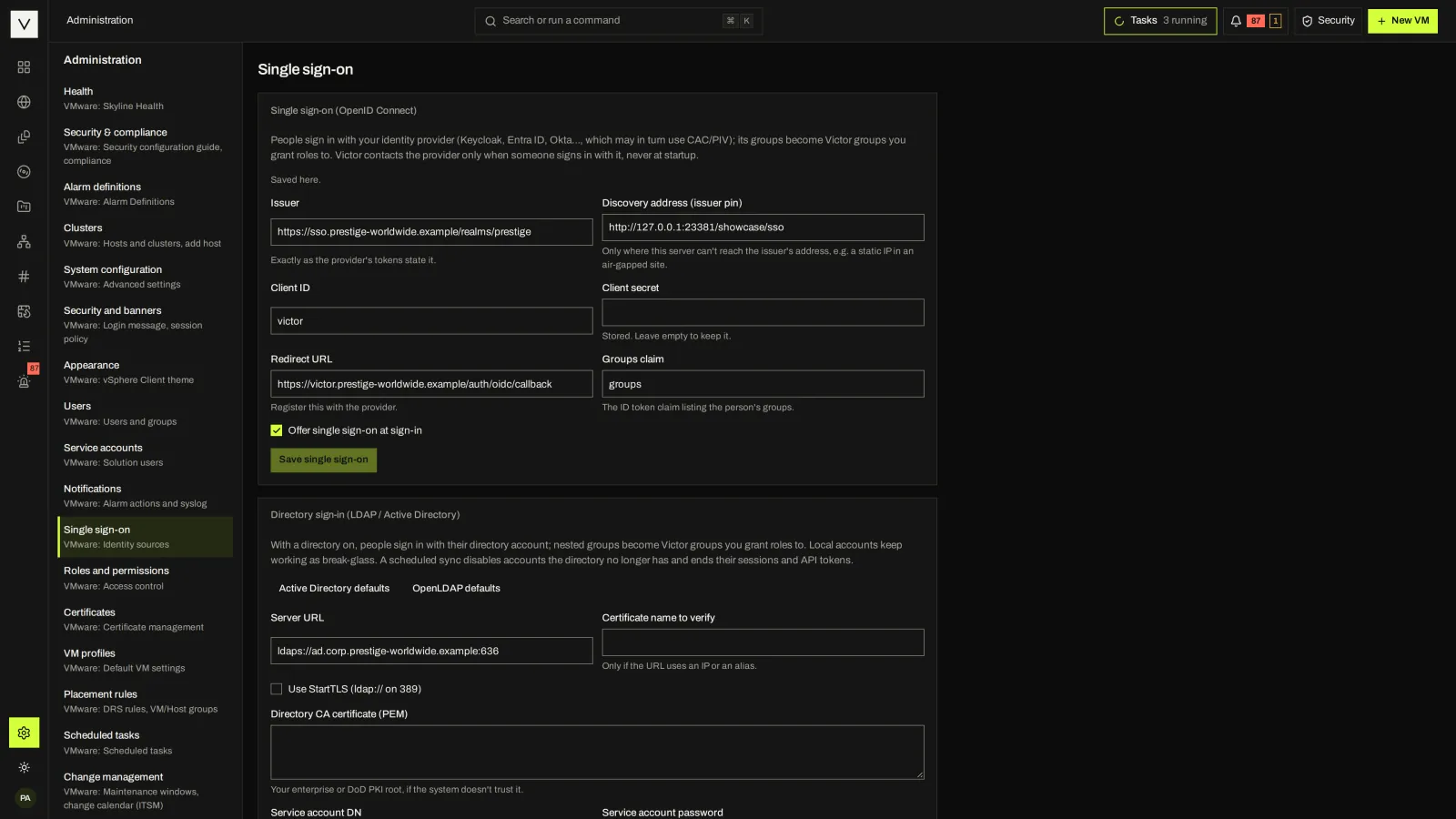
Victor brings identity, permissions, account policy, audit history and security posture into your virtualization platform. Control access to workloads, investigate changes and assemble signed evidence for your organization’s reviews.
Community core · Enterprise additions labeled · no certification claimed01 / ACCESS
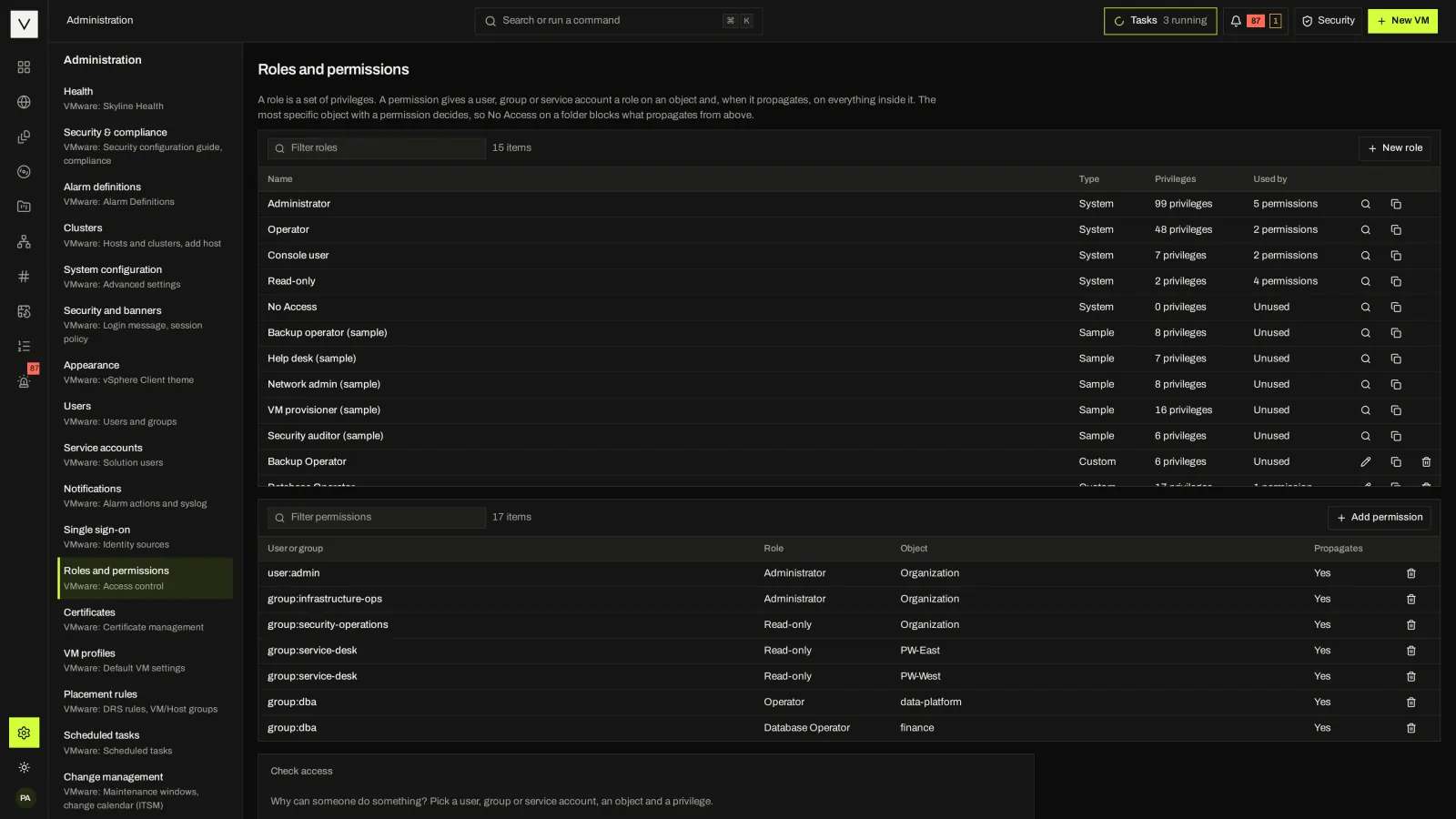
Privileges group into roles, and roles are granted on inventory objects with propagation. Built-in roles cover administrator, operator, console user, read-only and no access; sample roles cover backup operators, help desk, network admins, VM provisioners and security auditors.
02 / TAMPER-EVIDENT AUDIT
Every event is chained with SHA-256. A checkpoint is written every minute there are new events, signed with Ed25519 when a master key is set, and the whole chain is verified daily. Changes, sign-ins, console sessions and change-window overrides are all recorded.
Save a checkpoint somewhere else and you can later prove the log was not cut back.
Only the event log is chained. Cutting the newest events leaves a shorter chain that still verifies unless a saved checkpoint is compared.
victorctl audit verify                         # the whole log, on the server
victorctl audit verify --save-checkpoint cp.json
victorctl audit verify --expect-checkpoint cp.json  # later: not cut back
03 / SECURITY & COMPLIANCE CENTER
Every security check Victor makes about itself, on one page: identity and access, sessions and account policy, cryptography, audit, platform, data protection, supply chain and the health advisor. Each check shows its status, the facts behind it, the NIST SP 800-53 rev 5 controls it supports and the fix.
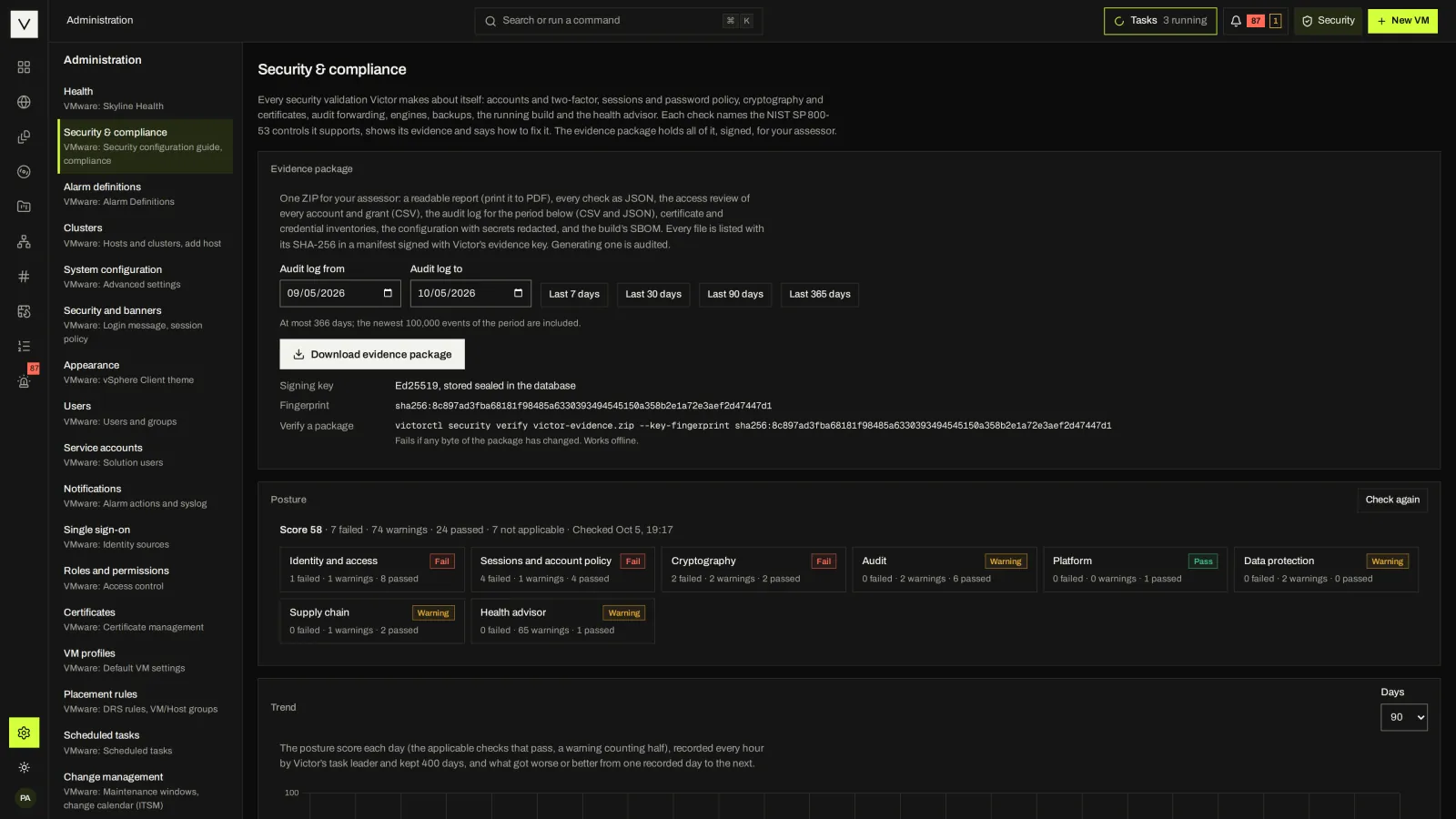
A 0–100 posture score, evaluated every hour and kept as one score a day for 400 days, with what got better or worse each day.
A readable report, every check as JSON, an access review, an audit extract with its chain, inventories, redacted configuration and the SBOM, signed with Ed25519.
The same checks from the API and victorctl, with an option to fail a pipeline when any check fails.
victorctl security evidence --from 90d -o q3.zip
victorctl security verify q3.zip --key-fingerprint sha256:… # offlineChecks state what Victor found when they ran. They support the controls named; they do not certify a deployment. A sample Security auditor role can read everything and change nothing.
04 / VICTOR ENTERPRISE
Enterprise adds the pieces regulated environments ask for on top of the Community foundation.
A mutual-TLS listener with CRL and OCSP checks, mapping certificates to accounts by EDIPI, UPN, email or common name. victorctl can sign in with a client certificate.
Refuse changes when audit events cannot be recorded, with forwarding and storage alarms before that happens. Splunk HEC forwarding is included.
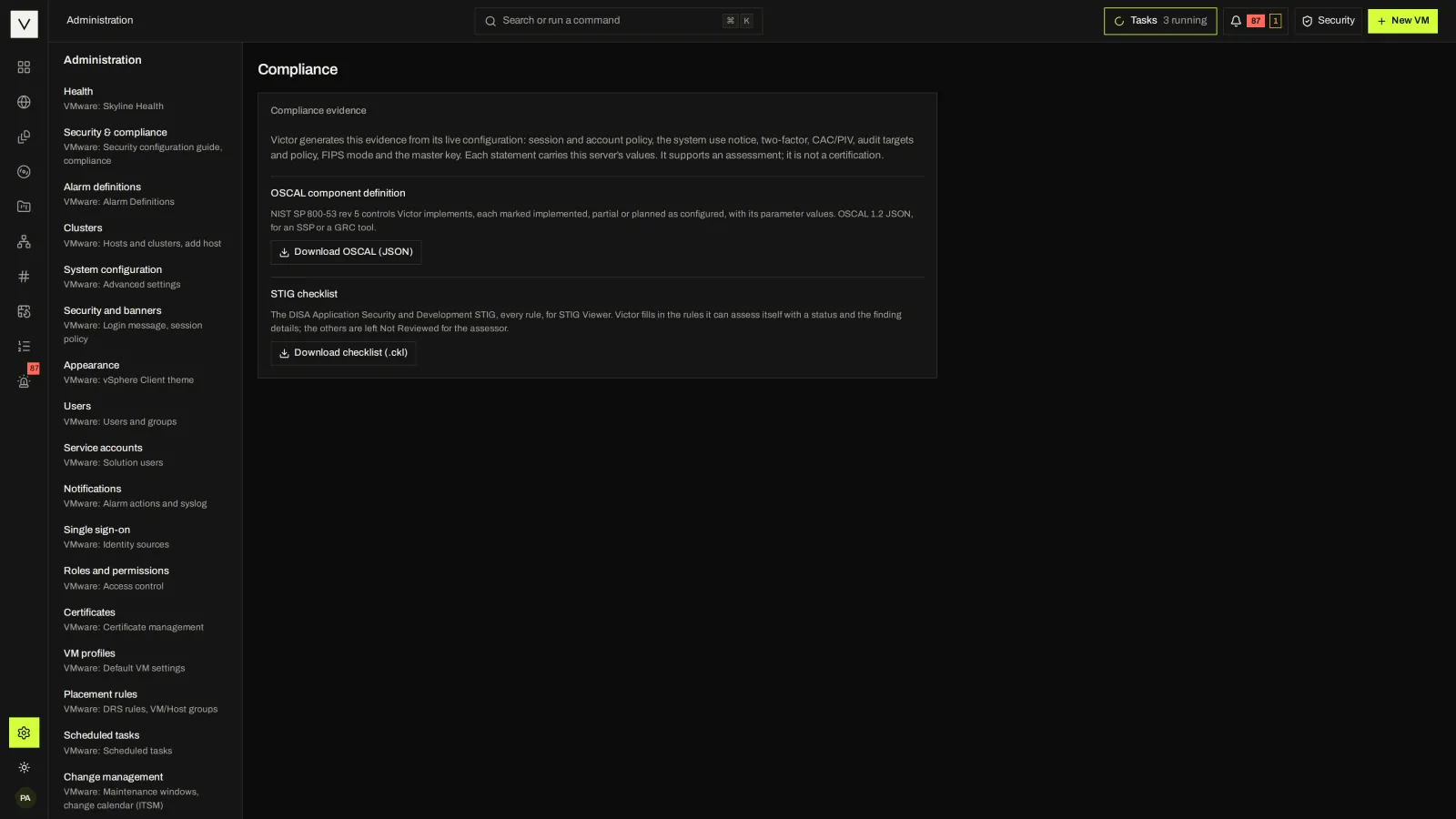
An OSCAL 1.2.3 component definition and a DISA STIG Viewer checklist generated from live configuration.
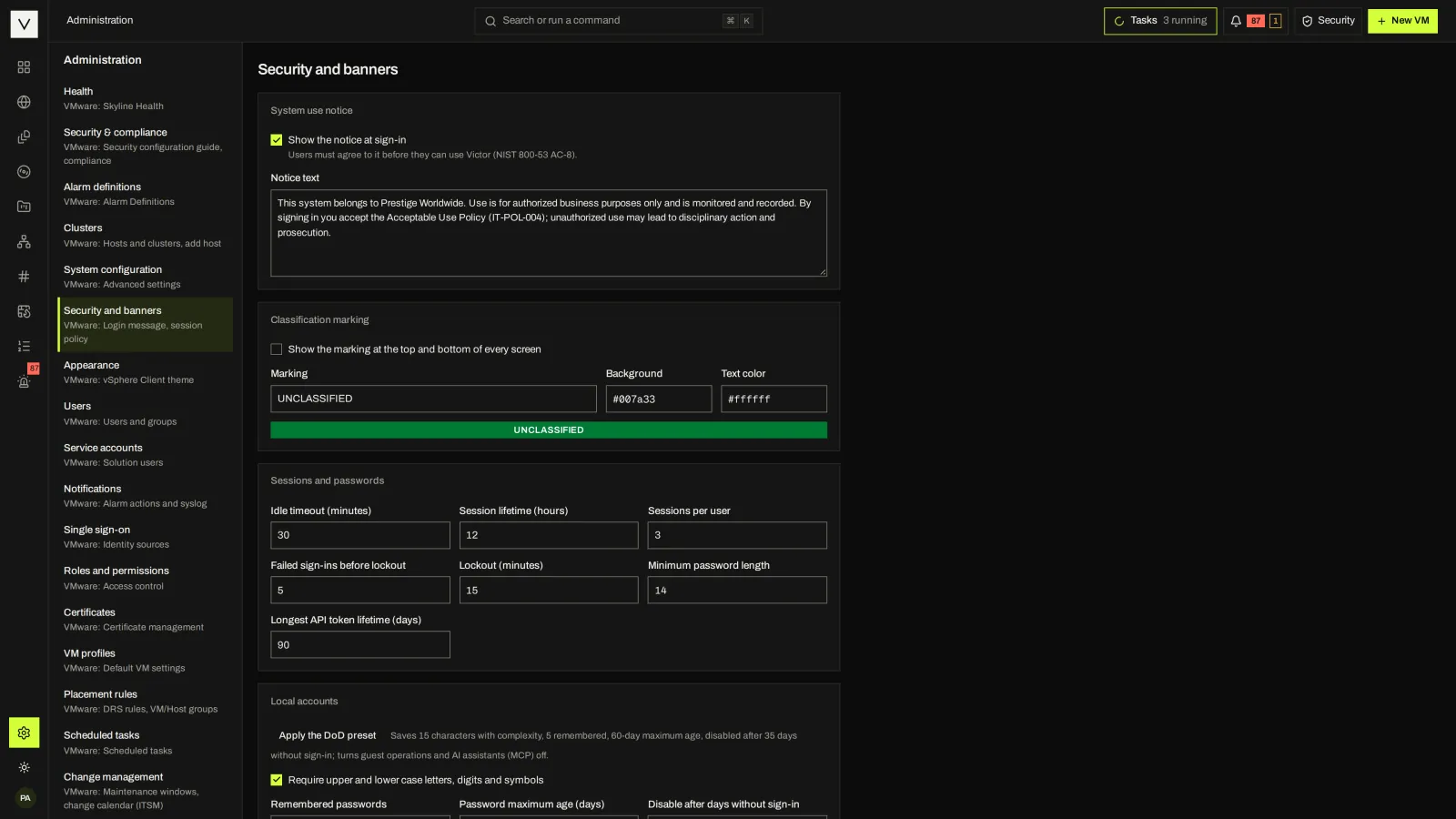
Apply the DoD account policy in one step: 15-character complex passwords, 5 remembered, a 60-day maximum age, accounts disabled after 35 days without sign-in, and guest operations and the MCP server turned off. The consent notice and classification banner are Community settings.
Signed FIPS-mode images and binaries in the Enterprise release, built with Go’s FIPS 140-3 module. Pinning the CMVP-validated module version is an open item. Community can build in FIPS mode itself.
RBAC, SSO, two-factor, audit chain, security center, evidence package, air-gap delivery and SIEM forwarding by syslog, webhook, email or Loki.
05 / HOST SECURITY
Victor Host includes a management firewall with a lock-out guard and automatic rollback, CIS AlmaLinux 9 Level 1 SCAP scans and host certificates from your enterprise CA. Enterprise adds STIG scan profiles, not yet included in the STIG checklist export.
Host firewall management is CLI and API only today. Victor Host’s FIPS mode is not a FIPS 140-3 validated configuration.
Victor documents what it checks, what it signs and what it does not claim. No FedRAMP authorization, FIPS validation, third-party penetration test or published Accessibility Conformance Report is claimed. We will share current evidence and open items in a review.
FAQ
No. Single sign-on uses OIDC or LDAP/Active Directory. SAML appears only inside the vSphere bridge for PowerCLI sign-in. #
Yes. The package is signed with the site’s evidence key, and victorctl verifies the signature and every byte offline, given the key fingerprint. #
Community forwards to syslog (CEF, LEEF 2.0 or JSON), signed webhooks, email and Grafana Loki. Enterprise adds Splunk HEC. The CEF and LEEF samples have not yet been validated in vendor parsers. #
NEXT STEP
Bring your identity requirements and evidence needs to a guided Enterprise demo.