VICTOR CLOUD
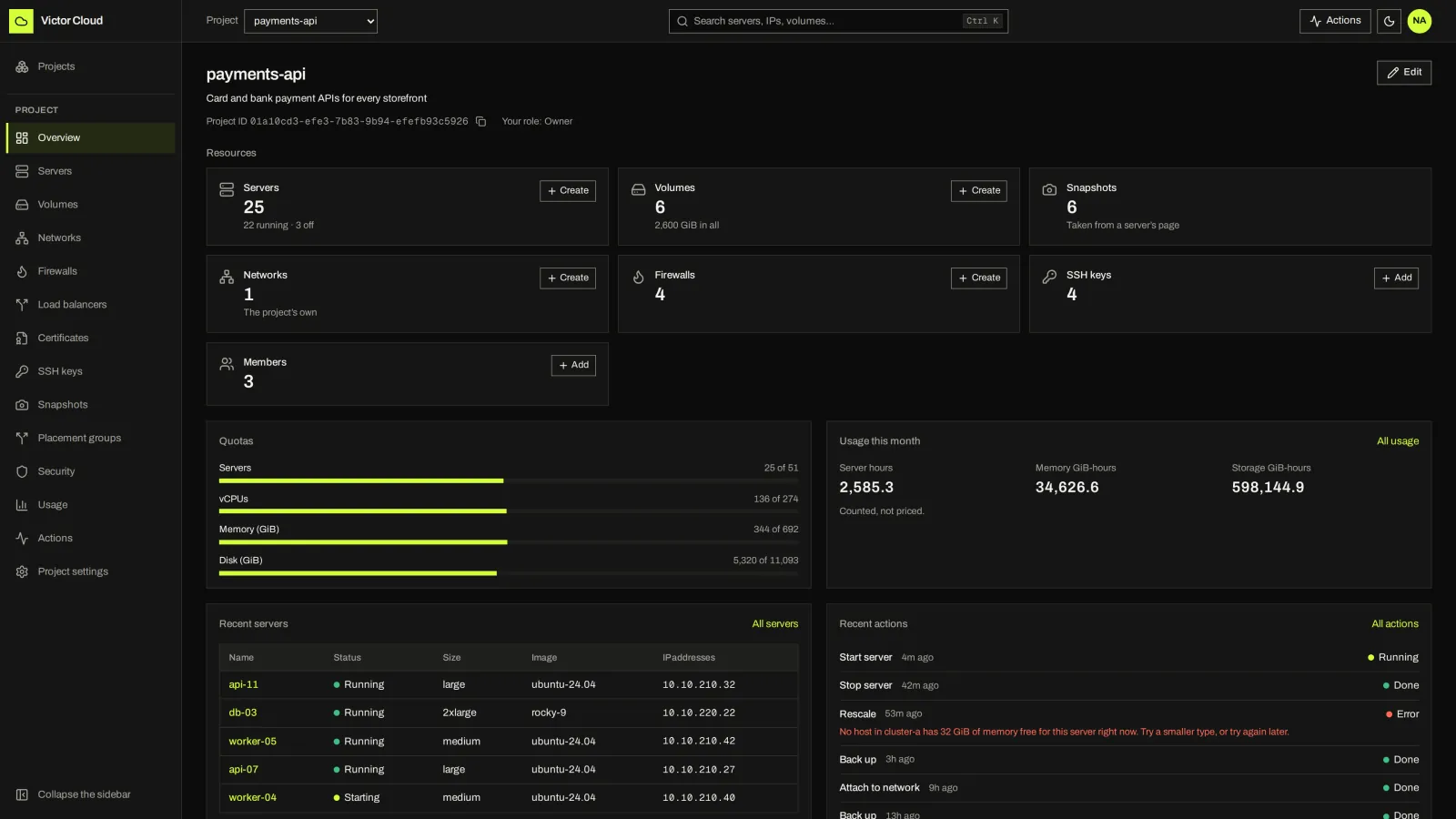
Project overview
A tenant project with its servers, volumes, networks and usage.
VICTOR SOLUTIONS / VICTOR CLOUD
Turn your Victor infrastructure into a self-service cloud. Give teams servers, volumes, networks, firewalls and load balancers through the Victor Cloud portal and API, while your administrators control capacity, offerings and access.
Alpha · Community: one site, KVM-backed compute · Cloud Enterprise planned01 / SELF-SERVICE
Administrators define offerings: sizes, images and networks. Users get projects with servers, cloud-init, a serial console, rescue mode, volumes, snapshots, private networks, firewalls and managed load balancers.
02 / THE PORTAL
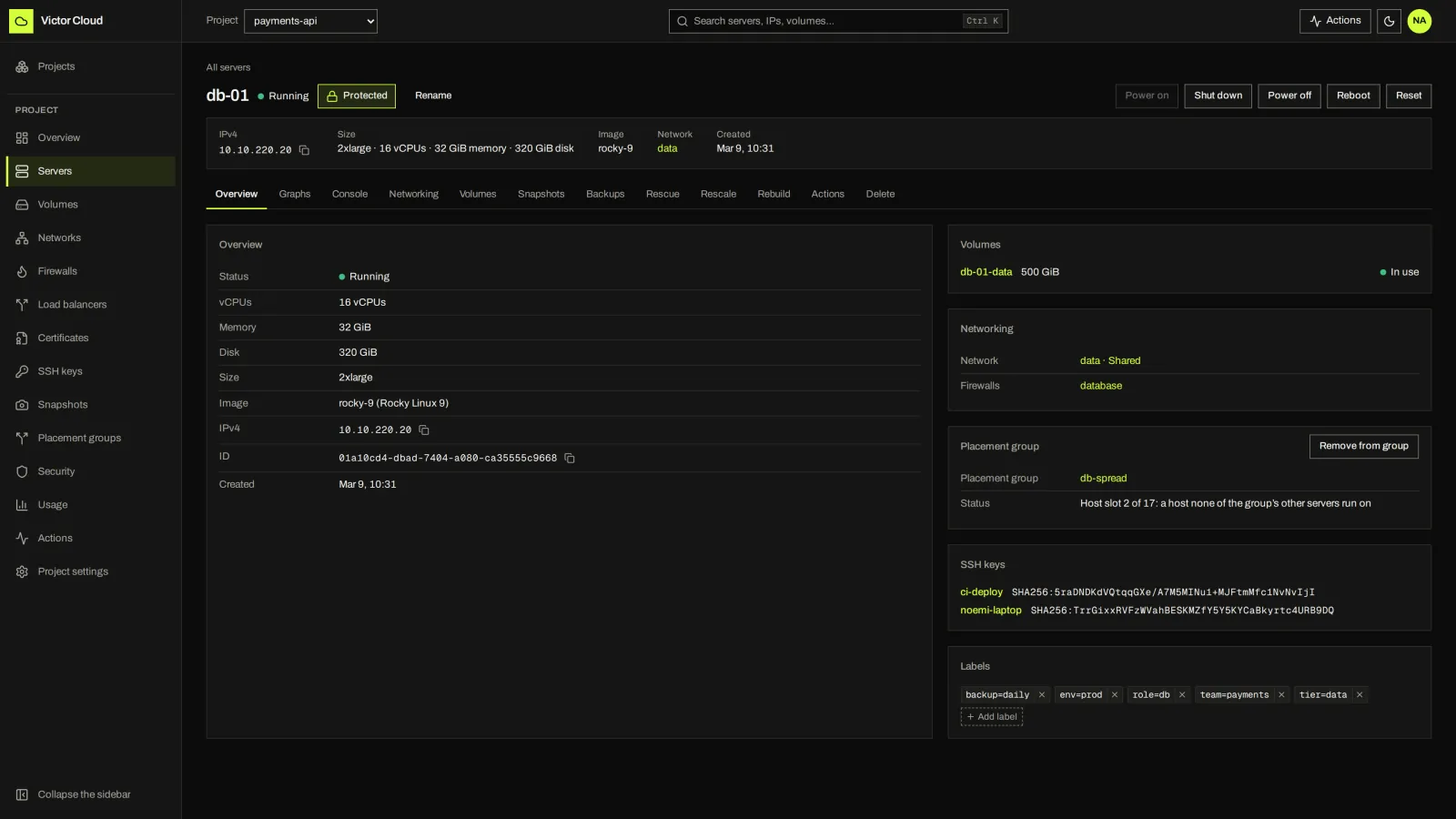
The portal shares the Victor view’s design language and works on a phone. Select a screen to enlarge it. These are recorded Alpha screens from 5 October 2026; the current UI may differ.
A tenant project with its servers, volumes, networks and usage.
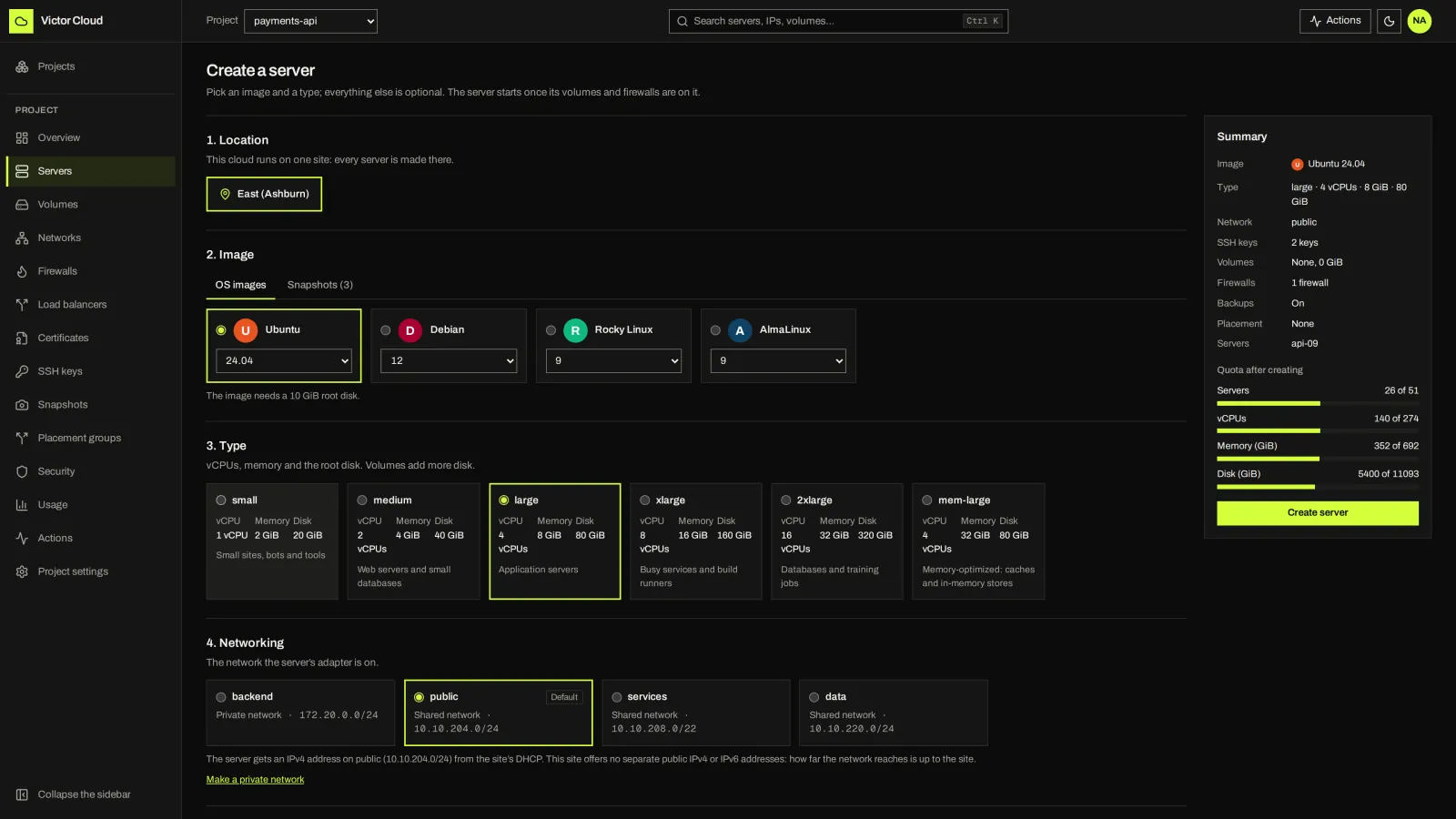
Location, image, type and network; SSH keys, firewalls, volumes and cloud-init follow in the same form.
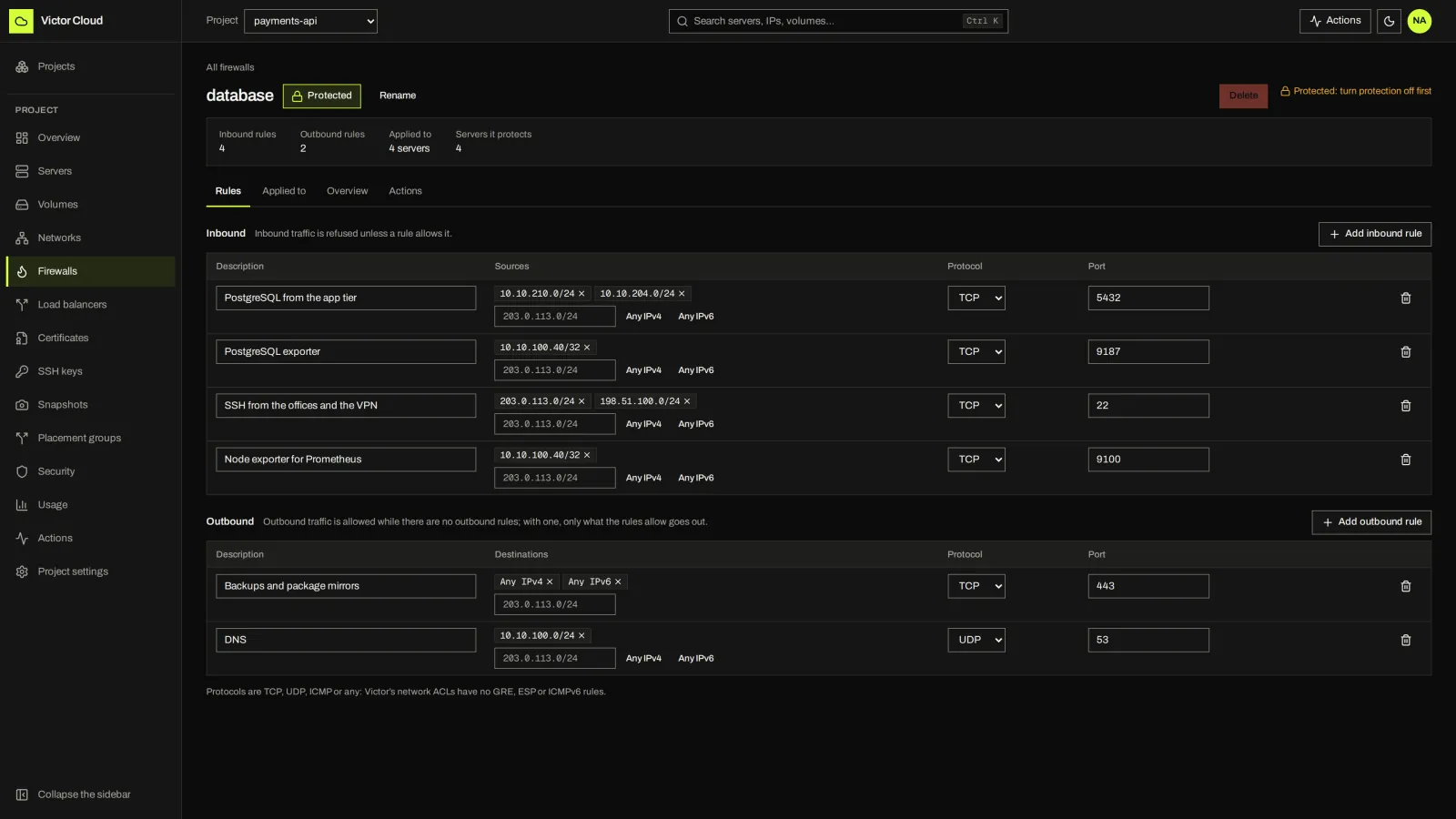
Inbound and outbound rules, applied to private networks or individual servers.
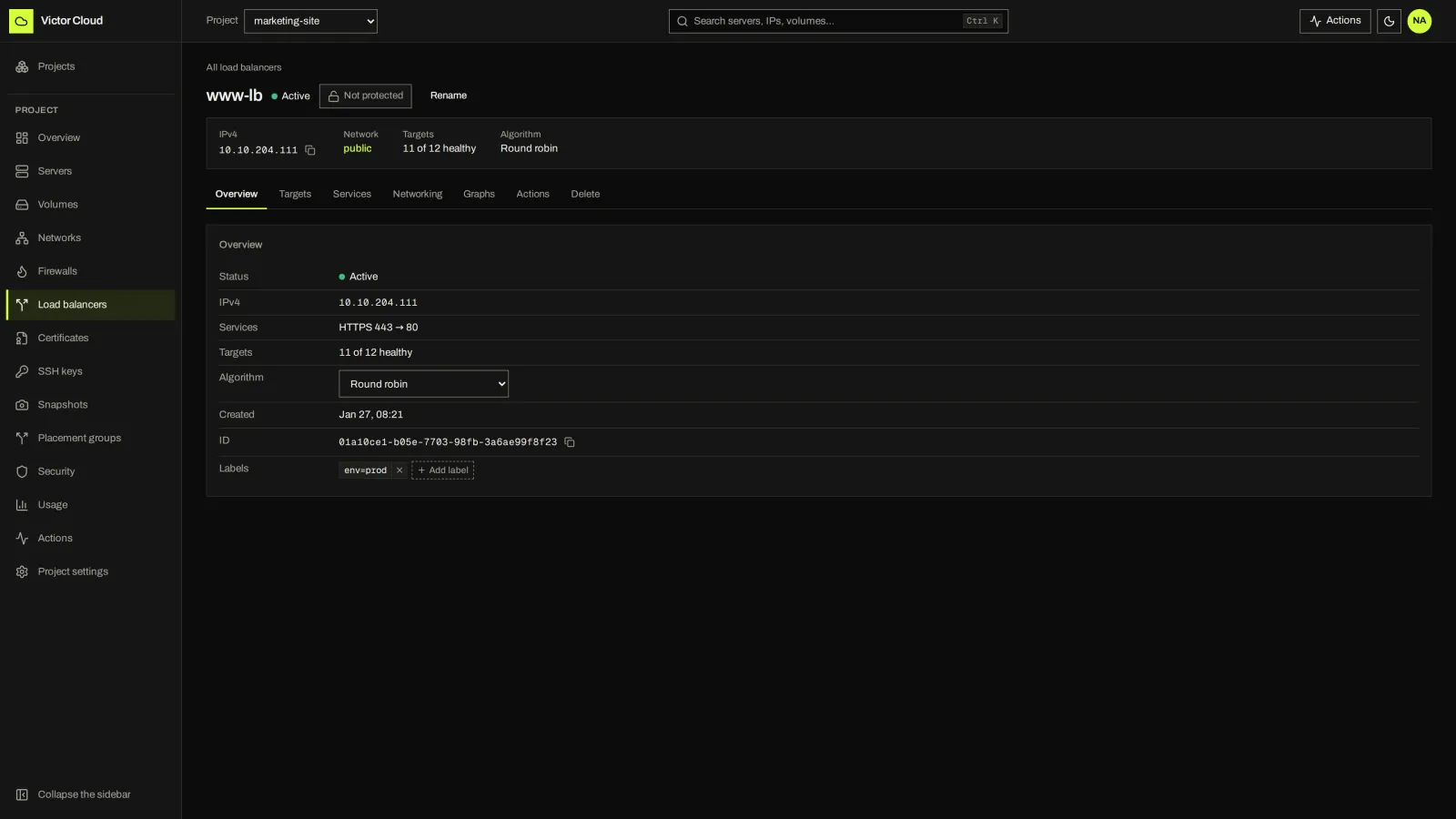
Tenant load balancers with targets and services.
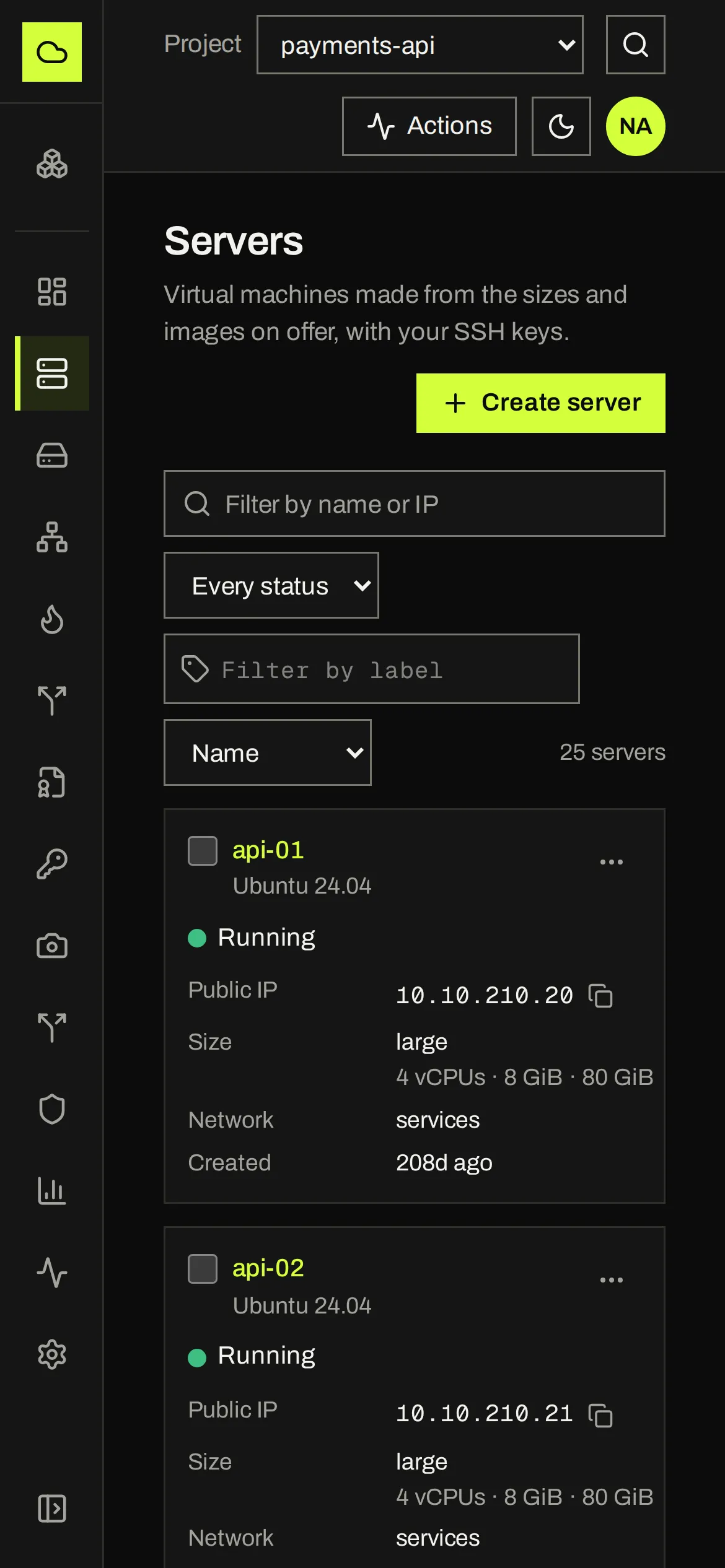
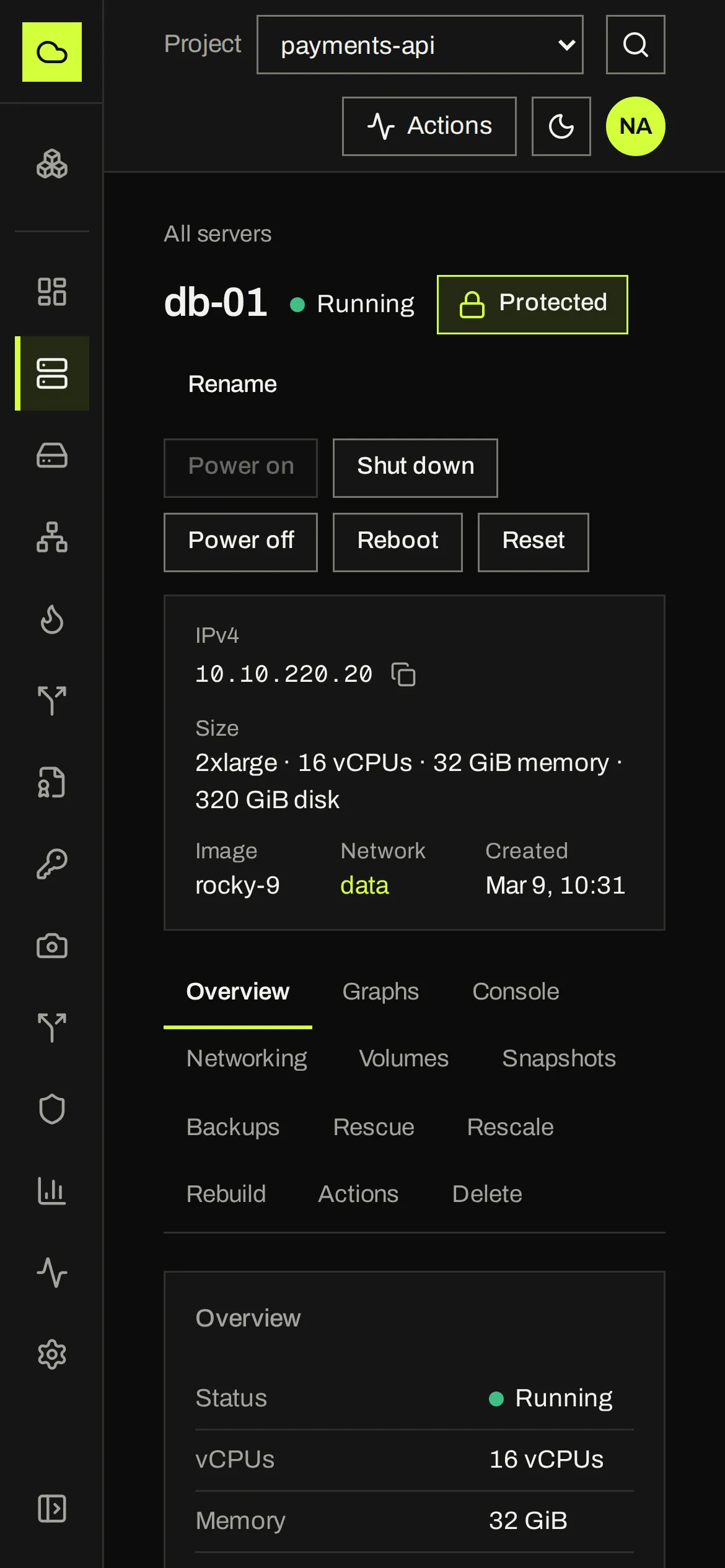
Servers and their actions on a small screen.
03 / HOW IT FITS
Victor runs your virtualization infrastructure. Victor Cloud lets teams consume the images, sizes and networks you publish, with project boundaries and a visible history of their actions. Community serves one Victor site.
A REST and Connect API with a CLI, a Terraform provider and an MCP server. Every change returns an action and takes a request ID.
Choose which KVM clusters and templates users can consume. Infrastructure work stays in the Victor console.
Victor Cloud acts through one service account whose role holds only the privileges it needs. Victor’s permissions, tasks and audit apply to that account; Victor Cloud enforces each project’s boundaries itself.
04 / YOUR OPERATING MODEL
Hetzner and DigitalOcean run the underlying infrastructure for you. Victor Cloud gives your team a self-service layer over infrastructure you operate, with your own images, sizes and network offerings.
Compare with Hetzner and DigitalOceanProject-based servers, volumes, snapshots, networks, firewalls, load balancers and public automation interfaces. Verify the selected Alpha build and its prerequisites.
First-class public/reserved IPs, rDNS, tenant DNS, customer-facing S3, autoscaling and provider operations. Billing, managed services and multi-region operation are not current Community capabilities.
Your load balancers use VM capacity and a configured virtual IP network. Plan routing and independent physical failure domains with your infrastructure team.
05 / EDITIONS
Victor Cloud Community is Apache-2.0, in Alpha, and serves one site: an internal cloud for a team, a lab or a small business, with usage but no billing.
Victor Cloud Enterprise is planned, for many sites, teams, approvals, budgets, chargeback and provider billing. It is separate from Victor Enterprise.
No. Victor is complete without it. Add Victor Cloud only if people outside the infrastructure team need self-service. #
Not yet. Offerings are KVM clusters and their templates for now. #
Not in Community, which reports usage in counts and hours. Billing and payments are planned for Victor Cloud Enterprise. #
NEXT STEP
Tell us who your users are and what they need to provision. We will show Victor and Victor Cloud together.